 BYD Tech
In short
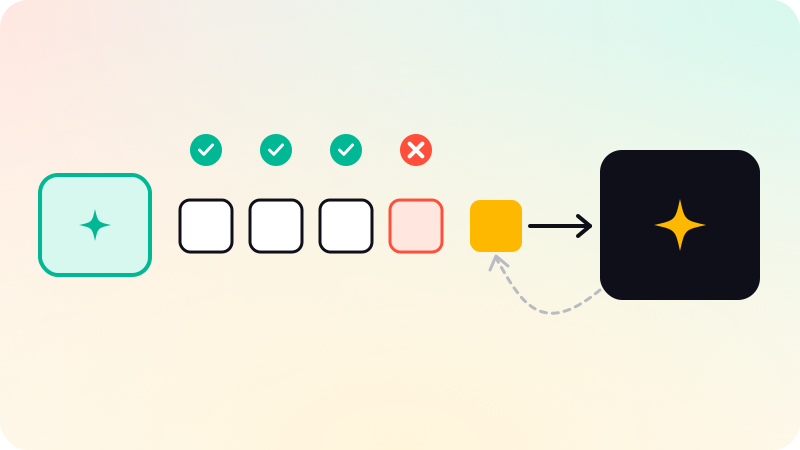
LLM document extraction turns PDFs and scans into typed records in a pipeline: get the text from the PDF's text layer, from OCR with layout analysis, or by giving a vision-capable model the page images; ask the model for output that matches a JSON Schema; then check every field with code, with types, checksums and cross-field rules. Fields that fail a check or come back with low confidence go to a human review queue, and accuracy is measured per field against a labeled set, not per document.
Key points
- Check for a text layer first: born-digital PDFs need no OCR, and their text is exact.
- Scans need OCR plus layout analysis, or a vision-capable model that reads page images directly; both major APIs now send PDF pages to the model as text and images.
- Define the output as a JSON Schema and use structured outputs, but keep the schema inside the subset your provider supports.
- A schema only proves shape. Validate values with code: formats, check digits, ranges and cross-field rules such as line quantities adding up to the stated total.
- Send failed checks and low-confidence fields to a review queue that shows the page, and feed corrections back into the evaluation set.
- Measure precision, recall and exact match per field: a document-level score hides the one field that is always wrong.
The extraction pipeline at a glance
Document extraction takes a file a person can read, such as a purchase order, a shipping manifest, a lab report or a form, and produces a record a program can trust. A language model does the reading, but most of the reliability comes from the steps around it:
- Ingest: accept the file, record where it came from, and detect its type: a PDF with a text layer, a scanned PDF, or a photo.
- Read: take the text layer, run OCR with layout analysis, or render page images for a vision-capable model.
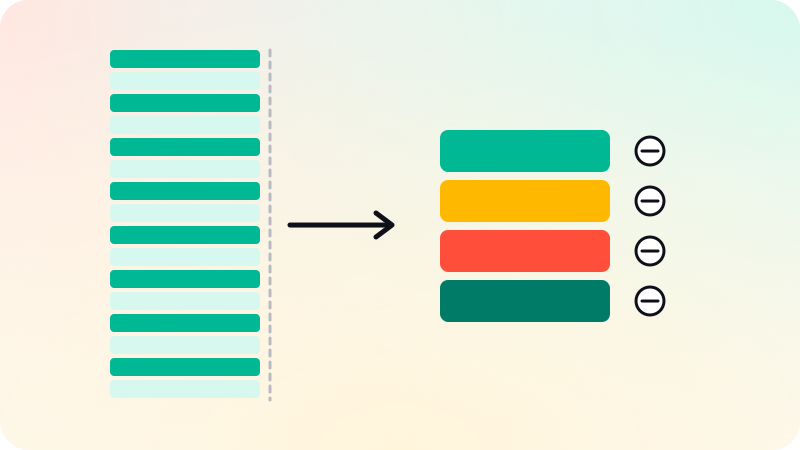
- Split: break long documents by page or section, keeping page numbers for every piece.
- Extract: ask the model for output that matches a JSON Schema for this document type.
- Validate: check every field with code, including cross-field rules.
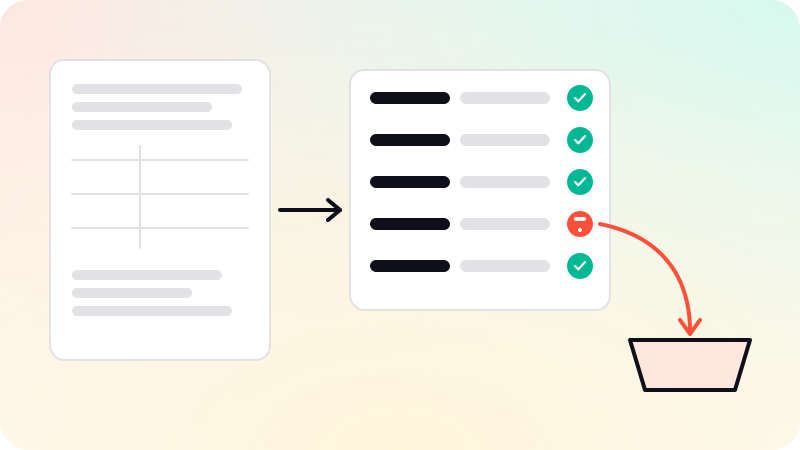
- Review: route failed checks and low-confidence fields to a person, with the page beside the field.
- Export and evaluate: write accepted records to the system of record, and score extraction per field against a labeled set.
For the business view of the same pipeline, what it replaces and where it pays off, see intelligent document processing. This post is about how each step works.
Ingest: text layer, OCR and layout analysis
A PDF exported from software usually carries a text layer: the characters and their positions are stored in the file, so extraction is exact and fast. A scanned PDF is a stack of images, with no text at all, or with a text layer added by an earlier OCR pass of unknown quality. The first step is to tell them apart per page: extract the text layer and check whether it has a plausible number of characters, mostly real words and no long runs of replacement glyphs. Mixed files are common, such as a typed cover sheet followed by a signed, scanned page.
Pages without a usable text layer need OCR. The quality of the image decides most of the result. The Tesseract documentation, for example, says it works best on images of at least 300 dpi, that heavily skewed pages hurt line segmentation and should be rotated so the lines are horizontal, that dark scanner borders can be misread as characters, and that when the image is not a full page of text, a different page segmentation mode, such as a single line, a single word or sparse text, should be tried. It also notes that recognizing tables needs segmentation or layout analysis that the engine does not provide on its own.
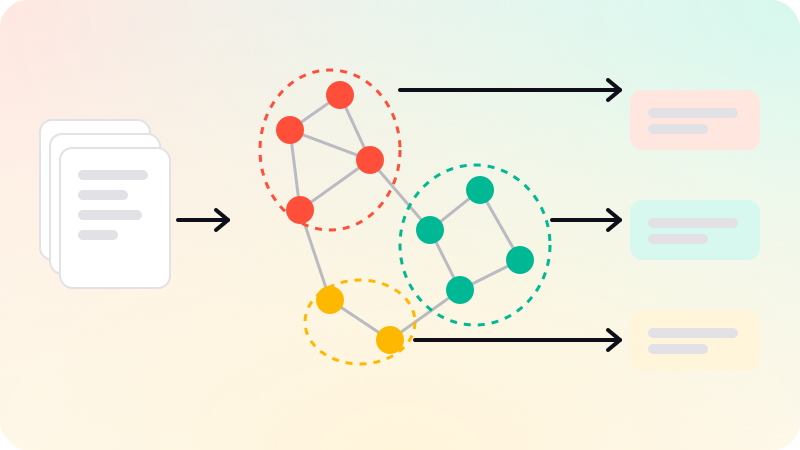
That last point is the reason for layout analysis. OCR returns words and their boxes; a document also has reading order, columns, headers, key-value pairs and tables, and the meaning of "120" depends on whether it sits under the "Qty" column or beside "Page". LayoutLM (Xu and colleagues, KDD 2020) showed the value of modeling text and layout together: it adds the 2-D position of each word, and image features, to a text model pre-trained on scanned documents. The authors report form understanding rising from 70.72 to 79.27, receipt understanding from 94.02 to 95.24 and document image classification from 93.07 to 94.42 over the previous best results. When an LLM does the extraction, the practical lesson is the same: pass layout along with the text, for example as lines in reading order with table cells kept in rows, rather than as one flattened string.
Vision models reading page images
Vision-capable models can skip the separate OCR step. The OpenAI and Anthropic APIs both accept PDFs directly and give the model each page twice. OpenAI's documentation says that for vision-capable models the API extracts both the text and an image of each page and sends both to the model, with each file under 50 MB. Anthropic's says the system converts each page into an image, extracts the text of each page and provides it alongside the image, with up to 600 pages per request, or 100 when the request's context window is under 1 million tokens. Anthropic estimates that each page typically uses 1,500 to 3,000 text tokens, before the image tokens.
The image lets the model use what OCR text loses: checkboxes, stamps, handwriting, table lines and which value sits in which box. It also brings the limits of vision. Anthropic's vision documentation warns that the model may make mistakes on low-quality, rotated or very small images, that its counts of many small objects are approximate, and that its coordinates are approximate too, and it advises human oversight for tasks that need perfect precision. Field extraction from documents is such a task, which is why the checks below matter.
| Text layer + LLM | OCR + layout + LLM | Vision model on page images | |
|---|---|---|---|
| Works on | Born-digital PDFs only | Scans, photos and PDFs without a text layer | Anything that renders to an image |
| Text accuracy | Exact characters | Depends on scan quality, skew and fonts; digits and similar letters get confused | Usually good on clean pages; can misread or invent characters on poor images |
| Layout and tables | Positions are available but reading order must be rebuilt | Needs a layout or table model on top of OCR | Read from the image directly; long or dense tables still cause errors |
| Checkboxes, stamps, handwriting | Lost | Mostly lost; handwriting needs a dedicated model | Visible to the model |
| Token use and speed | Lowest | Low for the LLM step, plus the OCR pass | Highest: image tokens per page, on top of any extracted text |
| Traceability | Character offsets in the file | Word boxes from OCR | Page number only, unless you ask for and verify coordinates |
Many pipelines use all three: the text layer when it is present and clean, OCR for high-volume scans of a few known layouts, and a vision model for the hard pages or as a second opinion when the first pass fails validation.
Long documents and tables
A one-page purchase order fits in a single request. A 200-page shipping file or contract bundle does not fit comfortably, and even when it fits, a long input gives the model more chances to attach a value to the wrong row or field. Split along the document's own structure: per page for forms and line-item documents, per section for reports and contracts, using headings from the text layer or the layout model. Extract from each piece against the same schema, carry the page number on every extracted item, and merge in code. For how split boundaries affect results, see chunking strategies for RAG; the same trade-offs apply when the goal is extraction rather than retrieval.
Tables need the most care:
- Extract tables as arrays of row objects with named columns, never as one block of text, so each cell is checked on its own.
- Repeat the header row in the prompt for every page of a table that spans pages, and merge rows across the page break in code, checking that the line numbers continue.
- Ask for one row per printed row, including wrapped descriptions, and check the count against the line numbers or the row count printed on the document.
- Use the document's own totals as a check: the sum of line quantities against the stated total, the number of lines against the stated count.
- For very dense tables, crop the table region and send it at higher resolution, or extract it with a table-structure model and let the LLM only label the columns.
Schema-first extraction with structured outputs
Start from the record you need, not from the document. Write it as a JSON Schema: field names, types, which values are allowed, and a description for every field that tells the model where to find it and how to copy it. Then ask the model for output in that schema through the provider's structured outputs mode, which constrains generation so the response always parses. A purchase order, kept to item codes and quantities:
{
  "type": "object",
  "additionalProperties": false,
  "required": ["po_number", "order_date", "ship_by", "total_quantity", "lines"],
  "properties": {
    "po_number": { "type": "string", "pattern": "^PO-[0-9]{6}$" },
    "order_date": { "type": "string", "format": "date" },
    "ship_by": { "type": "string", "format": "date" },
    "total_quantity": { "type": "integer", "description": "Total units as printed on the document" },
    "lines": {
      "type": "array",
      "items": {
        "type": "object",
        "additionalProperties": false,
        "required": ["line_no", "gtin", "description", "quantity", "unit", "page"],
        "properties": {
          "line_no": { "type": "integer" },
          "gtin": { "type": "string", "description": "8, 12, 13 or 14 digits, copied exactly" },
          "description": { "type": "string" },
          "quantity": { "type": "integer", "description": "Units ordered on this line" },
          "unit": { "type": "string", "enum": ["EA", "CS", "PL"] },
          "page": { "type": "integer", "description": "Page the line appears on, from 1" }
        }
      }
    }
  }
}
A few choices in that schema are deliberate. Every object sets additionalProperties: false and lists all of its fields in required, because OpenAI requires both in strict mode and Anthropic requires the first. The GTIN is a string, not a number, so leading zeros survive. Each line carries the page it came from, so a reviewer can jump to it. And there are no minimum or length constraints: Anthropic's documentation lists numeric and string-length constraints as unsupported, while OpenAI supports them, so a schema meant for more than one provider keeps them out and enforces them in code.
Two more limits of the schema itself. In JSON Schema draft 2020-12, format is an annotation by default: a validator does not have to reject a malformed date unless format assertion is switched on. And constrained decoding enforces shape, not truth: a perfectly valid record can carry the wrong quantity. Tell the model to copy values exactly and to return an empty string for a field that is not on the page rather than guessing, and treat the schema as the first check, not the last. How the masking works inside the model is covered in constrained decoding and structured outputs.
Field-level and cross-field validation
Validation is where most extraction errors are caught, and it is plain code. Three kinds of checks cover most documents:
- Field checks: the value parses as its type, matches its pattern, falls in a sensible range, and belongs to a known list, such as unit codes or customer IDs from your own database.
- Checksums: many identifiers carry a check digit. GS1 trade item numbers, the GTINs in barcodes, use one computed from the other digits with alternating weights of 3 and 1, so a single misread digit is caught without any lookup.
- Cross-field rules: dates in the right order, line numbers unique and continuous, line quantities that add up to the stated total, and a ship-to country that matches the ship-to address.
A validator for the purchase order above, run on a record with three planted errors: a ship date before the order date, a GTIN with its last digit misread, and line quantities that do not match the total:
from datetime import date

def gtin_ok(code):  # GS1 check digit: weights 3, 1, 3, ... from the right
    if not code.isdigit() or len(code) not in (8, 12, 13, 14):
        return False
    total = sum(int(d) * (3 - 2 * (i % 2)) for i, d in enumerate(reversed(code[:-1])))
    return (10 - total % 10) % 10 == int(code[-1])

def validate(po):  # returns (field, problem) pairs
    errors = []
    if date.fromisoformat(po['ship_by']) < date.fromisoformat(po['order_date']):
        errors.append(('ship_by', 'earlier than order_date'))
    for i, line in enumerate(po['lines']):
        if not gtin_ok(line['gtin']):
            errors.append((f'lines.{i}.gtin', 'check digit fails'))
        if line['quantity'] <= 0:
            errors.append((f'lines.{i}.quantity', 'must be positive'))
    if sum(line['quantity'] for line in po['lines']) != po['total_quantity']:
        errors.append(('total_quantity', 'does not equal the sum of line quantities'))
    return errors

po = {'order_date': '2026-03-02', 'ship_by': '2026-02-27', 'total_quantity': 150, 'lines': [
    {'line_no': 1, 'gtin': '6291041500213', 'quantity': 120},
    {'line_no': 2, 'gtin': '6291041500218', 'quantity': 24}]}
print('\n'.join(f'{field}: {problem}' for field, problem in validate(po)))
# ship_by: earlier than order_date
# lines.1.gtin: check digit fails
# total_quantity: does not equal the sum of line quantities
Output from running it is shown at the end. Each error names a field path, which is what makes the next step possible: the review screen can highlight exactly that field on exactly that page. In a real pipeline, also catch parse errors per field rather than letting one bad date stop the whole record, and keep the rules in one place per document type so they can be tested like any other code.
Confidence and human review queues
No extraction pipeline is right every time, so the design goal is to know which records to trust. Combine several signals per field:
- Validation result: any failed check sends the field to review. This is the strongest signal because it is deterministic.
- Agreement: run two passes, for example text layer and vision, or two models, and compare. Fields that disagree go to review.
- Grounding: check that the extracted value appears in the page text near where the model says it is. A value that appears nowhere was probably invented.
- Model confidence: token log-probabilities, where the API provides them, are a usable warning on short values; a confidence number the model writes about itself is a weak hint.
- Business risk: a field that drives a shipment or a regulatory filing can go to review at a lower threshold than a free-text note.
The review queue shows the page image with the field highlighted, the extracted value, the failed check, and a one-click accept or correct. Every correction is a labeled example: store it with the page and the original output, and add it to the evaluation set. Start with a low threshold so most records are reviewed, measure how often reviewers change each field, and raise automation field by field as the numbers allow. For routing easy pages to a smaller model and hard ones to a larger one, see LLM routing and fallbacks.
Evaluating extraction per field
Score extraction field by field against a labeled set of real documents, including bad scans, rotated pages and rare layouts. A document-level score, such as the share of documents with every field correct, hides which field fails. Per field, use exact match after normalization for identifiers, codes, dates and quantities, and a softer comparison, such as normalized edit distance, for free text. Separate the two kinds of error with precision and recall: precision falls when the model returns wrong values or invents values that are not there; recall falls when it misses values or gets them wrong.
def norm(v):  # compare what matters: case and stray spaces are not errors
    return ' '.join(str(v).split()).casefold() if v is not None else None

def field_scores(gold_docs, pred_docs, fields):
    for f in fields:
        tp = fp = fn = 0
        for gold, pred in zip(gold_docs, pred_docs):
            g, p = norm(gold.get(f)), norm(pred.get(f))
            if p is not None and p == g:
                tp += 1
            else:
                fp += p is not None  # a wrong value, or a value where there is none
                fn += g is not None  # a value we missed or got wrong
        prec = tp / (tp + fp) if tp + fp else 1.0
        rec = tp / (tp + fn) if tp + fn else 1.0
        print(f'{f:12} precision {prec:.2f}  recall {rec:.2f}')

gold = [{'po_number': 'PO-104233', 'ship_by': '2026-02-27'}, {'po_number': 'PO-104240'},
        {'po_number': 'PO-104251', 'ship_by': '2026-03-10'}, {'po_number': 'PO-104262'}]
pred = [{'po_number': 'po-104233 ', 'ship_by': '2026-02-27'}, {'po_number': 'PO-104240', 'ship_by': '2026-03-01'},
        {'po_number': 'PO-104257', 'ship_by': '2026-03-10'}, {}]
field_scores(gold, pred, ['po_number', 'ship_by'])
# po_number    precision 0.67  recall 0.50
# ship_by      precision 0.67  recall 1.00
Output from running it is shown at the end. Normalization is part of the definition: here case and spaces are not errors, but a wrong digit is. Report the numbers per document type and per source, such as scans against born-digital files, and re-run them on every prompt, schema or model change, in CI where possible; see AI agent evals in CI.
Privacy of documents
Business documents carry personal data: names, addresses, signatures, phone numbers and sometimes ID or health information. Sending them through an extraction pipeline means sending them to a model provider, storing them, and showing them to reviewers, and each of those is processing that privacy law cares about. Points that usually come up:
- Provider terms: whether inputs are retained, for how long, whether they are used for training, and in which region they are processed. Some providers offer zero-data-retention arrangements for eligible features.
- Minimization: extract only the fields you need, and redact or crop what you do not before the page leaves your systems.
- Storage: originals, page images and extracted records need access control, encryption and a retention period, and so do the copies in logs, traces and the review queue.
- Reviewers: limit who sees which documents, and keep an audit log of views and corrections.
- Deletion: when a person asks for their data to be deleted, it has to be findable in every one of those places.
This is not legal advice; the rules depend on where you and the people in the documents are. For the main obligations under the GDPR, see GDPR for apps.
If you are building a document extraction pipeline or an agent that reads files, see our AI agent development service: the code lives in your GitHub from day one, AI-assisted work is reviewed by an engineer, and the IP is assigned to you.
Sources
Checked when this post was written.
- Xu et al., LayoutLM: Pre-training of Text and Layout for Document Image Understanding (arXiv, KDD 2020)
- Tesseract documentation: Improving the quality of the output
- OpenAI API documentation: File inputs (PDF files)
- OpenAI API documentation: Structured outputs
- Claude API documentation: PDF support
- Claude API documentation: Vision
- Claude API documentation: Structured outputs
- JSON Schema Validation: A Vocabulary for Structural Validation of JSON (draft 2020-12)
- GS1: How to calculate a check digit manually