 BYD Tech
The short answer
Intelligent document processing, or IDP, uses AI to read documents such as invoices, purchase orders, contracts and forms, pull out the information that matters, check it, and enter it into your systems. Unlike older template-based tools, it copes with documents in different layouts. It works best with a person reviewing anything uncertain, and with checks that catch errors before bad data reaches your books.
Key points
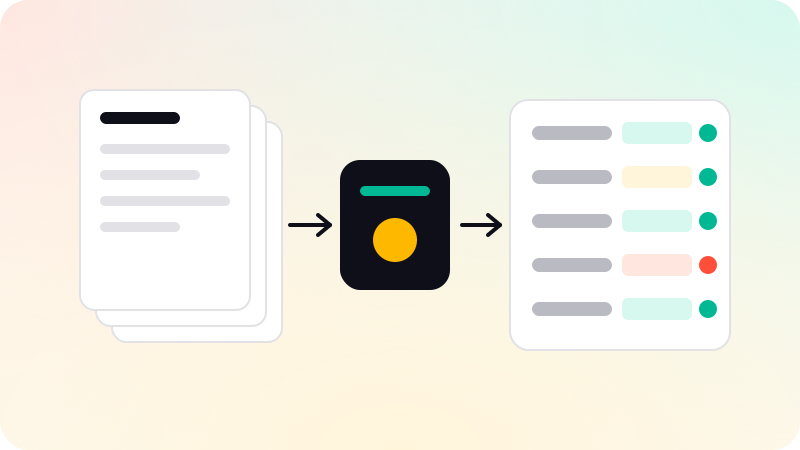
- IDP reads documents, extracts fields, validates them and sends them on.
- AI handles varied layouts that template tools struggle with.
- Validation rules catch errors: totals that do not add up, dates that do not make sense.
- Uncertain documents go to a person, not straight into the system.
- Start with one document type you receive in volume.
How it works
- Capture: documents arrive by email, upload or scan.
- Read: text is extracted, including from scans and photos.
- Understand: an AI model identifies the document type and finds the fields you need.
- Validate: rules check the data, such as line items adding up to the total.
- Review: anything uncertain or failing a check goes to a person.
- Send: approved data goes into your accounting, order or records system.
Where it is used
| Document | Typical fields | Where the data goes |
|---|---|---|
| Supplier invoices | Supplier, number, date, line items, tax, total | Accounting system |
| Purchase orders | Customer, items, quantities, delivery date | Order system |
| Contracts | Parties, dates, renewal terms, key clauses | Contract tracker |
| Forms and applications | Names, IDs, answers, signatures | Records system |
| Receipts and expenses | Merchant, date, amount, category | Expense tool |
Keeping it accurate
- Check totals: line items should add up, and tax should match the rate.
- Check against what you know: is this a known supplier, does the order number exist?
- Flag low-confidence fields for review instead of guessing.
- Never let the AI fill in a value it could not find.
- Measure on a sample of real documents, field by field, before going live.
The same principles that reduce invented answers in chat apply here. See How to reduce AI hallucinations.
How to start
- Pick one document type you receive in volume.
- Collect a few hundred past examples with the correct data.
- Try the extraction on them and measure accuracy per field.
- Run with a person approving everything, then reduce review where accuracy is proven.
Many accounting and document tools now include extraction. Try them first. A custom setup makes sense when documents vary widely, rules are specific to you, or data must go into several systems. Document and data extraction is one of the jobs in our AI agent development work, with anything uncertain sent to a person.
Sources
Checked when this guide was written.