 BYD Tech
The short answer
An MCP server is a small program that makes your data and tools available to AI assistants through the Model Context Protocol, an open standard. Instead of building a separate integration for every AI product, you describe what your system can do once, and any assistant that speaks MCP, including Claude, ChatGPT, Gemini and Microsoft Copilot, can use it.
Key points
- MCP is an open standard for connecting AI applications to outside systems.
- An MCP server exposes tools, data and prompts. An MCP client, the AI app, uses them.
- It does not replace your API. It usually sits in front of it.
- Build one when you want AI assistants to work with your product or internal systems.
- Treat it like any public door: permissions, limits and logs.
What MCP is
The Model Context Protocol is an open standard for connecting AI applications to external systems. Its own documentation compares it to a USB-C port: one standard plug, so any AI application can connect to any tool that supports it.
Anthropic introduced MCP in November 2024. In December 2025 it donated the protocol to the Agentic AI Foundation, a fund under the Linux Foundation co-founded with Block and OpenAI, so no single company controls it. Anthropic’s announcement lists ChatGPT, Cursor, Gemini, Microsoft Copilot and Visual Studio Code among the products that have adopted it.
How an MCP server works
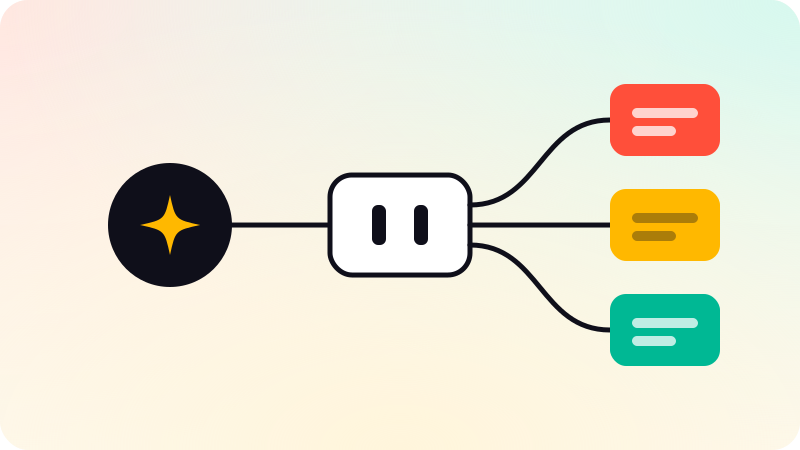
There are two sides. The client is the AI application a person is using. The server is the program that speaks for your system. When they connect, the server tells the client what it offers, and the model decides when to use it.
- Tools: actions the model can ask for, such as "look up an order" or "create a ticket".
- Resources: data the model can read, such as a file, a record or a document.
- Prompts: ready-made instructions a user can pick, such as "summarize this account".
A server can run on a person’s own computer or on the internet. A local server suits tools that work with files on that machine. A remote server suits a product that many customers connect to.
MCP vs API
| API | MCP server | |
|---|---|---|
| Made for | Developers writing code | AI models choosing what to do |
| How it is used | A program calls a known endpoint | A model reads descriptions and picks a tool |
| Integration | One per product you connect to | One server, many AI clients |
| Relationship | The system of record | Usually a thin layer in front of the API |
MCP does not replace your API. In most cases the MCP server calls the API you already have. What it adds is a description a model can understand: what each tool does, what it needs, and what comes back. Good descriptions matter here the way good documentation matters for developers.
When a business should build one
- You have a product, and customers want to use it from their AI assistant.
- Your team works in an AI assistant and needs it to see internal data: orders, tickets, documents.
- You are building an agent and want its tools to be reusable, not tied to one model or vendor.
You probably do not need one if a single, fixed automation would do the job. A plain workflow with rules is simpler to build and easier to check. The difference between that and an agent is covered in AI agent vs chatbot.
What to get right
- Give the server the least access it needs. A read-only tool cannot delete anything.
- Check permissions on the server for every request, as you would for any API.
- Put limits in code: amounts, rates, and which records a user may touch.
- Ask for confirmation before actions that cannot be undone.
- Log every tool call, so you can see what an assistant did and why.
An MCP server is a door into your systems. The protocol’s own security guidance is worth reading before you open it. Whether a job needs an MCP server, an agent or a plain integration is the first thing we work out in AI agent development.
Sources
Checked when this guide was written.