 BYD Tech
The short answer
If a standard product already does the job, such as a help desk or an HR system, buy it. If you need screens over your own data for a small team and the workflow is simple, a low-code internal-tool builder is often the quickest route. Build a custom admin when the workflow is specific to your business, many people use it, permissions and audit trails are strict, or the tool is close enough to your product that you need to own its code. Whichever you pick, give each person only the access they need, sign in through your company’s identity provider, and log who changed what.
Key points
- Off-the-shelf products fit standard jobs; low-code builders fit simple screens over your own data; custom admins fit workflows that are specific, heavily used or tightly controlled.
- Internal tools often hold more power than the customer-facing product: they can see every customer and change any record.
- Least privilege, server-side permission checks, single sign-on with multi-factor authentication and an audit log matter as much here as anywhere.
- Low-code tools that connect straight to a production database should use a restricted database account, not an admin one.
- Check how you would leave a low-code platform before you build on it: what you can export, and what you would have to rebuild.
What counts as an internal tool
Internal tools are the software your team uses to run the business rather than the software your customers see. They include admin panels for managing users and content, support consoles that look up an account and issue a credit, approval queues, operations dashboards, data-correction screens and back-office workflows such as onboarding a new supplier.
They are often treated as an afterthought, built quickly by whoever is free. Yet they tend to be the most powerful software in the company: a support console can usually see every customer, and an admin panel can usually change any record. That power is why the choice of how to build them is partly a security decision.
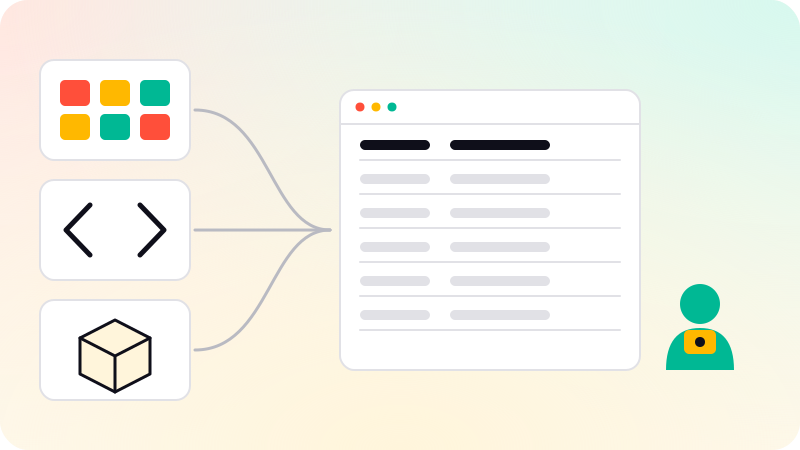
The three options
- Off-the-shelf product: software built for a common job, such as a help desk, a CRM, an HR system or a content management system. You configure it rather than build it.
- Low-code internal-tool builder: a platform where you drag tables, forms and buttons onto a screen and connect them to your databases and APIs, with some code for logic. It hosts or runs the tool for you.
- Custom admin: an application your developers write, usually alongside your product, using the same codebase, permission system and deployment process.
The broader trade-offs between visual builders and code are in Low-code vs no-code vs custom code, and the general question of buying versus building is in Build vs buy software. This guide applies both to tools your own team uses.
How they compare
| Factor | Off-the-shelf product | Low-code builder | Custom admin |
|---|---|---|---|
| Effort to a first version | Lowest: set it up and configure | Low: screens over existing data come together quickly | Highest: designed and built like any other software |
| Fit with your workflow | Its workflow, adjusted through settings | Good for forms, tables and simple steps; harder for complex logic | Whatever you need |
| Data sources | Its own database, plus the integrations it offers | Connects to many databases and APIs | Anything your developers connect |
| Permissions | Its own roles, which may not match yours | Platform roles plus per-app rules; check how fine-grained they are | Your own model, shared with your product |
| Audit trail | Varies by product and plan | Varies by platform and plan | As detailed as you design it |
| Code ownership | None: you rent the product | Your configuration lives on the platform | You own the code |
| Vendor lock-in | Your data and process live in it | Screens and logic are usually in a platform-specific format | Low, apart from the services it uses |
| What drives cost | Seats and plan level | Seats, usage and plan level | Developer time to build and maintain |
When each one fits
An off-the-shelf product fits when:
- The job is common across businesses, such as ticketing, scheduling, payroll or publishing content.
- Your process can adapt to how the product works without losing anything that matters to you.
- You would rather someone else handles updates, hosting and security for that tool.
A low-code internal-tool builder fits when:
- A small team needs screens over data you already have, such as looking up an order, fixing a record or approving a request.
- The logic is simple, and a few people will use the tool for a specific purpose.
- You want something working quickly and accept that you may rebuild it later if it grows.
- The platform’s permission and audit features meet your needs on the plan you would use.
A custom admin fits when:
- The workflow is specific to your business and is part of how you compete, such as a matching process, a pricing review or a compliance check.
- Many people use it all day, so small gains in speed and fewer errors add up, and per-seat fees for a platform grow with headcount.
- Permissions are detailed, for example by region, by customer or by amount, or you need an audit trail you can show to an auditor or a customer.
- The tool shares rules with your product, such as validation, pricing or state changes, and you do not want the same logic written twice in two places.
- You need to own the code, for investors, for acquirers or for your own peace of mind.
Many companies end up with a mix: a help desk they bought, a low-code tool for a few operational screens, and a custom admin for the parts that touch the core of the product. That is fine, as long as someone keeps track of which tools can reach which data.
Security for internal tools
Internal does not mean safe. An internal tool is a good target precisely because it can do so much, and the people using it can be phished like anyone else. The same principles apply as for any web app, with extra weight on a few.
- Least privilege. NIST defines it as restricting access privileges to the minimum necessary. A support agent who needs to view accounts and issue small credits does not need to delete users or export the whole customer list.
- Deny by default, and check on the server. OWASP’s authorization guidance says to deny access when no rule matches, to check permissions on every request, and never to rely on hiding a button in the interface.
- Single sign-on with multi-factor authentication. Signing in through your company’s identity provider means one place to grant and remove access; CISA notes that requiring more than a password makes accounts far harder to take over.
- An audit log. OWASP’s logging guidance lists administrative actions, privilege changes, access to sensitive data and data exports among the events to record, with when, where, who and what for each, and warns against logging passwords, tokens and sensitive personal data.
- Restricted database access. If a low-code tool connects directly to a database, give it an account limited to the tables and operations it needs, and point it at a read replica where reading is all it does.
- Offboarding. When someone leaves or changes role, their access to every internal tool should end the same day. Single sign-on makes this one step instead of many.
For low-code builders, also check where credentials are stored, who on the platform can see or edit the connections, whether queries written in the builder run with the user’s permissions or the connection’s, and whether the platform’s own access logs are kept on your plan. For off-the-shelf products, check the roles they offer and whether exports can be limited.
Ownership and vendor lock-in
With a custom admin, the code is yours as long as the contract says so and the repository is in your company’s account; Who owns the code explains what to put in writing. With a low-code builder, you own your data, but the screens, queries and logic usually live in the platform’s own format. Some platforms let you export definitions or host the tool yourself; what that export contains, and whether another team could run it, differs from platform to platform.
Before you build anything substantial on a platform, ask:
- What can we export, and in what form? Data, screen definitions, queries, scripts?
- Can we run it on our own infrastructure if we need to, and on which plans?
- What happens to our tools if the platform changes its plans or stops a feature we rely on?
- How much of our business logic would we rewrite to leave?
A good rule is to keep important business rules in your own API or database, and let the low-code screens call them. Then the screens are easy to replace, and the logic that matters stays in code you own.
How to decide
- List the jobs your team does by hand or in spreadsheets today, and who does each one.
- For each job, check whether a standard product already does it well enough. If so, buy it.
- For the rest, note how many people will use the tool, how specific the workflow is, which data sources it touches, and how strict permissions and audit need to be.
- Simple, low-traffic screens over existing data: try a low-code builder, with a restricted database account and single sign-on.
- Heavily used, specific or sensitive workflows, or tools that share rules with your product: build a custom admin in your own codebase.
- Revisit the choice when a low-code tool becomes something many people rely on all day. That is usually the point where custom pays off.
If you are planning an admin panel or internal tool, web app development describes how we approach the build: the code lives in your GitHub from day one, and the founders are on the calls.
Sources
Checked when this guide was written.