 BYD Tech
In short
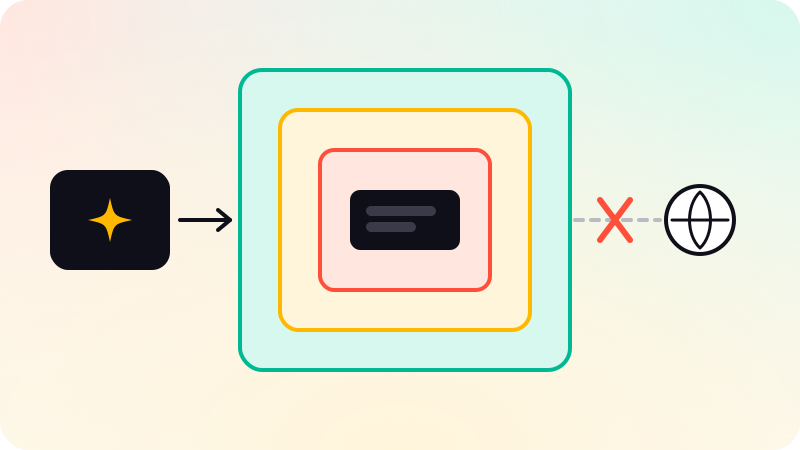
An agent that runs code it wrote may be running code an attacker shaped through prompt injection, so treat every run as untrusted. Put it behind a boundary that does not depend on the model behaving: a hardened container at minimum, a user-space kernel such as gVisor or a microVM such as Firecracker when the code is truly untrusted, or WebAssembly when the code can be compiled to it. Then limit what misuse or an escape can reach: no network or an allowlist, no secrets inside, a read-only filesystem, CPU, memory and time limits, and a fresh sandbox for each task.
Key points
- Prompt injection turns "the agent runs code" into "an attacker runs code". OWASP covers the paths under LLM05 Improper Output Handling and LLM06 Excessive Agency.
- Plan for five threats: the filesystem, network egress, secrets, resource exhaustion and escape to the host.
- A container shares the host kernel. gVisor puts a user-space kernel in between; Firecracker and Kata give each sandbox its own guest kernel under hardware virtualization.
- Language-level sandboxes are not a boundary. Python’s own docs say audit hooks are not suitable for implementing a sandbox.
- Whatever the boundary, the same controls limit the damage: no network by default, no secrets, a read-only root, tmpfs scratch space, limits on CPU, memory, processes, time and output, and one sandbox per task.
Why agents that run code need isolation
Code interpreters, data-analysis agents and coding agents all reach the same step: the model writes code and your system runs it. The model chose that code based on everything in its context, and some of that context, such as a web page, a file, an issue or a tool result, may have been written by someone hostile. Indirect prompt injection does not need to break the model. It only needs to persuade it to write the attacker’s code.
The OWASP Top 10 for LLM Applications 2025 covers both halves of this. LLM05, Improper Output Handling, names model output passed directly into a system shell or a function such as exec or eval as a path to remote code execution. LLM06, Excessive Agency, traces damaging actions to excessive functionality, permissions or autonomy, and warns against open-ended extensions such as one that runs any shell command. A code-execution tool is about as open-ended as an extension gets. You cannot make the tool narrow, so you make the place it runs small.
That is the job of a sandbox: a boundary enforced outside the model, by a kernel, a hypervisor or a runtime, that holds even when the code inside is written to break it. Classifiers that screen prompts and reviews of generated code are useful filters, but they are probabilistic, and the sandbox is what is left when they miss. LLM guardrails architecture covers how those layers fit together.
The threat model
Assume the code was written by an attacker who knows it will run in your sandbox. List what it could do and decide what stops each one:
| Threat | What it looks like | What stops it |
|---|---|---|
| Filesystem | Reads source code, credential files or another user’s data; plants a file that persists into the next run | Mount only the task’s files, read-only where possible; read-only root; discard the sandbox after the task |
| Network egress | Sends stolen data to an outside server, downloads a second-stage tool, probes your internal network or a cloud metadata endpoint | No network by default; otherwise an egress proxy with a domain allowlist |
| Secrets | Reads API keys from environment variables, mounted config or a cloud role attached to the host | Put no secrets inside; call privileged APIs from outside through narrow tools |
| Resource exhaustion | Infinite loops, fork bombs, memory balloons, full disks, gigabytes of output | Limits on CPU, memory, processes, file size and wall-clock time; a cap on output |
| Escape | Exploits a kernel or runtime bug to reach the host and every other sandbox on it | A smaller shared surface (seccomp, gVisor, a microVM), patched hosts, an unprivileged user |
Escape gets the attention, but the first four are what usually bite. An agent with an API key in its environment and open internet access does not need a kernel exploit to leak that key. The isolation technology decides how hard escape is; the configuration decides everything else.
Isolation options compared
The Firecracker paper (Agache et al., NSDI 2020) sorts isolation on Linux into three families: containers, where all workloads share one kernel; virtualization, where each runs its own kernel under a hypervisor; and isolation inside a language VM. gVisor and WebAssembly runtimes sit between those lines.
| Option | Boundary | Host kernel exposure | Runs any Linux binary? | Main trade-off |
|---|---|---|---|---|
| Plain container | Namespaces and cgroups in the host kernel | Full: code makes host syscalls directly | Yes | Any kernel bug reachable by a syscall is in scope |
| Container with a strict seccomp profile | A syscall filter in the host kernel | Reduced to the allowed syscalls | Yes, if the profile allows what it needs | Hard to write a profile for code nobody has seen yet |
gVisor (runsc) | A user-space application kernel that handles the syscalls itself | Indirect: only the Sentry talks to the host, under its own filters | Most; some syscalls and features are missing | Lower compatibility and higher per-syscall cost |
| Firecracker microVM | KVM hardware virtualization and a minimal VMM | None directly: own guest kernel | Yes | Needs KVM on bare metal or nested virtualization; you manage kernels, images and networking |
| Kata Containers | A lightweight VM per container or pod, behind a container runtime | None directly: own guest kernel | Yes | More moving parts and VM overhead per sandbox |
| WebAssembly (Wasmtime with WASI) | Wasm memory and control-flow isolation, capability-based I/O | Only through the runtime’s imports | No; code must be compiled to Wasm | Language and library support |
Language-level (restricted exec, audit hooks) | The interpreter itself | Full, in the same process | Not applicable | Not a security boundary |
Plain containers. Docker’s docs describe namespaces as the first and most straightforward form of isolation: processes in a container cannot see or affect processes in another container or on the host. Cgroups account for and limit memory, CPU and disk I/O so one container cannot bring the system down, though, as the same docs note, they do nothing to stop one container touching another’s data. Docker also starts containers with a reduced set of Linux capabilities. All of it is enforced by one kernel shared with the host and every other container. In the Firecracker authors’ words, untrusted code in a container calls the host kernel directly.
Seccomp. A seccomp profile filters which system calls a process may make. Docker applies a default profile that, per its docs, disables around 44 system calls out of more than 300, and recommends keeping it. You can write a stricter one, but the gVisor docs name the catch: it is extremely difficult, if not impossible, to define a reliable policy for arbitrary, previously unknown applications, and agent-written code is exactly that. Treat seccomp as a layer, not the boundary.
gVisor. gVisor is an application kernel, written in Go, that runs in user space and implements a Linux-like interface. Its Sentry intercepts the application’s system calls and answers them itself, a separate Gofer process handles file access, and gVisor adds rule-based filtering around its own components. It ships as an OCI runtime, runsc, so with Docker it is one flag: --runtime=runsc. The docs are open about the price: reduced application compatibility and higher per-syscall overhead, so syscall-heavy workloads can run slowly.
Firecracker. Firecracker is a virtual machine monitor built on KVM for running many small, untrusted workloads, and AWS developed it and deployed it in Lambda and Fargate. Each microVM runs its own guest kernel, so a kernel exploit lands in the guest, and the attacker still has to get through KVM and a minimal VMM. The authors report about 50,000 lines of Rust, 96% fewer than QEMU, memory overhead under 5 MB per microVM, boot to application code in under 125 ms, and up to 150 microVMs created per second per host. Its jailer wraps the VMM process itself in a chroot, namespaces, dropped privileges and a seccomp profile.
Kata Containers. Kata brings the same idea to container platforms: lightweight VMs that, in the project’s words, feel and perform like containers but keep the workload isolation of VMs. It runs as a container runtime and supports several hypervisors, including QEMU, Cloud Hypervisor and Firecracker, which suits Kubernetes clusters that want a VM boundary per pod without rebuilding images.
WebAssembly. Wasm is sandboxed by design. Wasmtime’s security docs list why: the call stack is not addressable by the program, memory accesses are bounds-checked within the module’s linear memory, control flow goes only to type-checked destinations, and there is no raw access to system calls, so a module can do only what its imports allow. WASI file access is capability-based: code sees only the directories it was given. The catch is that the code must be compiled to WebAssembly. That fits an agent generating small functions, or an interpreter built for Wasm, better than an agent that expects to install any package it likes.
Why language-level sandboxes are weak
The tempting shortcut is to run generated Python in your own process with exec and a stripped-down set of globals, or to hook dangerous calls. It does not hold. Python’s documentation says audit hooks are not suitable for implementing a sandbox and that malicious code can trivially disable or bypass them. Restricted globals fail for a similar reason: Python objects expose their classes, modules and builtins through introspection, so an emptied namespace slows an attacker down without stopping them. The interpreter was never designed as a boundary against the code it runs.
Language VMs that were built to isolate workloads, such as V8 isolates, are a serious engineering effort and still share a process with their neighbors. The Firecracker paper notes that running several workloads in one process trades functionality and compatibility against resistance to side-channel attacks such as Spectre, and that such techniques could not support the arbitrary binaries AWS needed. Use language-level restrictions to catch mistakes inside a real sandbox, never as the sandbox.
Practical controls, whatever the boundary
- No network by default. Most code-interpreter tasks need none. If a task does, route it through an egress proxy with a domain allowlist, log every attempt outside it, and block cloud metadata addresses and your internal ranges explicitly.
- A read-only root filesystem, a small
tmpfsfor scratch space, and the task’s inputs mounted read-only. Results go to one writable location that you inspect afterward. - No secrets in the sandbox: no API keys in the environment, no mounted credentials, no cloud role. If the code needs data from a privileged API, fetch it outside and pass it in.
- Limits on CPU, memory, swap, processes, open files, file size and wall-clock time. A CPU limit alone misses code that sleeps or waits on the network.
- An unprivileged user, every Linux capability dropped and
no-new-privilegesset, so setuid binaries cannot raise privileges. - A fresh sandbox per task, destroyed afterward. Nothing persists for the next run to find, and one user’s files are never visible to another user’s task.
- Output limits. Truncate stdout and stderr and cap returned files before anything goes back to the model or a person. Output is untrusted too: it can carry injected instructions, and Wasmtime’s docs warn that terminal escape sequences from untrusted code can have side effects.
- Pinned, minimal images, patched hosts, and a log of what ran, with which inputs, and what it returned.
Here is a hardened docker run for one task. Every Docker flag below is in Docker’s documentation, and the flags were checked with an Alpine image on Docker 29.8.1. Inside, the container saw only a loopback interface, ran as uid 65534 with an empty effective capability set, NoNewPrivs set to 1 and seccomp in filter mode, got "Read-only file system" when writing to / or /work, could write to /tmp, and could not resolve an outside hostname.
docker run --rm \
  --network none \
  --read-only \
  --tmpfs /tmp:rw,noexec,nosuid,size=64m \
  -v "$PWD/task:/work:ro" -w /work \
  --user 65534:65534 \
  --cap-drop ALL \
  --security-opt no-new-privileges \
  --memory 512m --memory-swap 512m \
  --cpus 1 \
  --pids-limit 128 \
  --ulimit nofile=256:256 \
  sandbox-image@sha256:<pinned-digest> \
timeout 30 python3 main.py| Flag | What it does |
|---|---|
--rm | Removes the container and its anonymous volumes when it exits, so nothing carries over |
--network none | Creates only a loopback device: no inbound or outbound network |
--read-only | Mounts the container’s root filesystem read-only |
--tmpfs /tmp:rw,noexec,nosuid,size=64m | An in-memory scratch directory capped at 64 MB, where files cannot be executed or carry setuid |
-v "$PWD/task:/work:ro" | The task’s inputs, mounted read-only |
--user 65534:65534 | Runs as an unprivileged user (nobody on most images) instead of root |
--cap-drop ALL | Drops every Linux capability, including those Docker keeps by default |
--security-opt no-new-privileges | Stops processes gaining privileges, so su and sudo no longer work |
--memory 512m --memory-swap 512m | Caps memory at 512 MB; setting swap to the same value means no swap |
--cpus 1 | At most one CPU’s worth of time |
--pids-limit 128 | At most 128 processes, which stops a fork bomb |
--ulimit nofile=256:256 | At most 256 open files |
image@sha256: digest | Pins the exact image, so a moved tag cannot change what runs |
timeout 30 | Kills the program after 30 seconds of wall-clock time; keep an outer timeout in your orchestrator too |
Docker’s default seccomp profile stays on, because nothing here turns it off. To run the same container under gVisor, add --runtime=runsc once runsc is installed as a Docker runtime. Two gaps remain. --network none cannot allow one API, so tasks that need egress get a network whose only route out is your allowlisting proxy. And none of these flags stops a kernel exploit, which is the reason for gVisor or a microVM when the code is truly untrusted.
Resource limits from Python, and why they are not a sandbox
Sometimes the runner is a Python service that starts the generated code as a subprocess. The resource module sets kernel limits on the child before the new interpreter starts, and subprocess.run adds a wall-clock timeout. The sketch was run on Linux with Python 3.13, and the comments are its real output.
import resource, subprocess, sys
MB = 1024 * 1024

def set_limits():  # runs in the child, before the new interpreter starts
    resource.setrlimit(resource.RLIMIT_CPU, (2, 2))               # CPU seconds
    resource.setrlimit(resource.RLIMIT_AS, (512 * MB, 512 * MB))  # address space
    resource.setrlimit(resource.RLIMIT_FSIZE, (MB, MB))           # largest file
    resource.setrlimit(resource.RLIMIT_NOFILE, (32, 32))          # open files

def run(code, wall_seconds=5, max_output=4096):
    try:
        p = subprocess.run([sys.executable, '-I', '-c', code], env={}, cwd='/tmp',
                           preexec_fn=set_limits, capture_output=True,
                           timeout=wall_seconds)
    except subprocess.TimeoutExpired:
        return 'killed by the wall-clock timeout'
    err = (p.stderr.decode(errors='replace').strip().splitlines() or [''])[-1]
    out = p.stdout[:max_output].decode(errors='replace').strip()
    return f'exit {p.returncode}, {len(p.stdout)} bytes out, {out[:20]!r} {err}'.strip()

print(run('while True: pass'))             # exit -9, 0 bytes out, ''
print(run('x = bytearray(2 * 1024**3)'))   # exit 1, 0 bytes out, '' MemoryError
print(run('import time; time.sleep(60)'))  # killed by the wall-clock timeout
print(run('print("A" * 10**7)'))           # exit 0, 10000001 bytes out, 'AAAAAAAAAAAAAAAAAAAA'
print(run('import os; print(os.environ.get("OPENAI_API_KEY"))')) # exit 0, 5 bytes out, 'None'- The busy loop hit the 2-second CPU limit and the kernel killed it: exit -9 is SIGKILL, sent here because the soft and hard limits are equal.
- The 2 GB allocation failed inside the 512 MB address-space limit with
MemoryError. - The sleeping process used no CPU, so only the wall-clock timeout caught it. You need both kinds of limit.
- The 10 MB print went through.
RLIMIT_FSIZElimits files, not pipes, andcapture_outputbuffers everything in the parent before you truncate it. A real runner reads the stream and stops at the cap. - With
env={}the child inherited no environment, so the API key the parent held was not there and the lookup printedNone.
This is not a sandbox. The child can still read any file the user can read, open network connections and attack the kernel. Which limits exist and how they behave depends on the operating system, and Python’s docs warn that preexec_fn is not safe in a program that uses threads. Use limits like these inside a container or microVM, as a second layer.
Choosing a sandbox
- Code you wrote and reviewed, such as your own tools: a hardened container is a reasonable floor.
- Code a model wrote from untrusted inputs, especially on shared infrastructure or for many customers: a boundary that does not expose the host kernel directly, such as gVisor, Firecracker or Kata, plus every control above.
- Small, self-contained functions: WebAssembly gives a tight sandbox, if the language and libraries fit.
- Agents that drive a browser or a desktop face the same problem in another shape: see computer-use agents.
Hosted code-execution sandboxes from model providers and cloud platforms package these same pieces. Ask them the questions from the threat model table: what the code can reach on the network, which secrets are inside, how long a sandbox lives and what boundary sits under it. For the wider set of agent controls, see AI agent guardrails, and for reviewing what coding assistants produce before it ships, see AI-generated code security.
BYD Tech builds AI agents, including agents that run code: the code lives in your GitHub from day one, and AI-assisted work is reviewed by an engineer.
Sources
Checked when this post was written.
- OWASP Top 10 for LLM Applications 2025: LLM05 Improper Output Handling
- OWASP Top 10 for LLM Applications 2025: LLM06 Excessive Agency
- Docker docs: Docker Engine security (namespaces, cgroups, capabilities)
- Docker docs: Seccomp security profiles for Docker
- Docker docs: docker container run reference
- gVisor documentation: What is gVisor?
- Agache et al., Firecracker: Lightweight Virtualization for Serverless Applications (USENIX NSDI 2020)
- Kata Containers (project repository and documentation)
- Wasmtime documentation: Security
- Python documentation: sys.addaudithook