 BYD Tech
The short answer
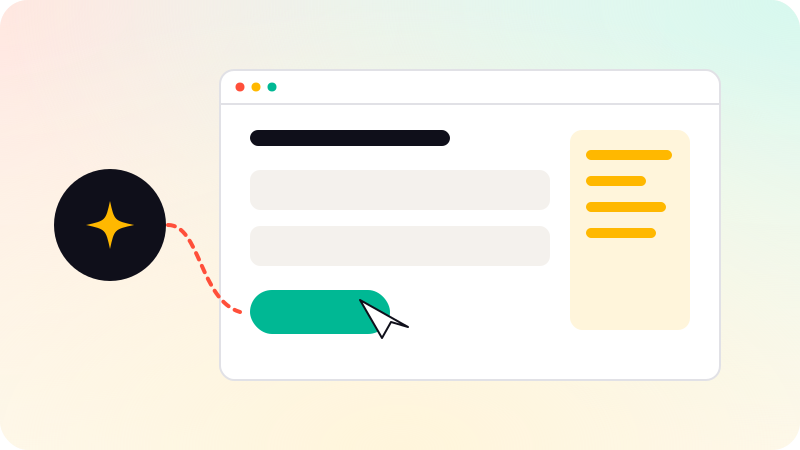
A computer-use agent is an AI agent that operates software through its interface: it looks at screenshots, moves the cursor, clicks and types, the way a person would. Anthropic released computer use for Claude in October 2024, and other providers offer similar browser agents. They are useful when a system has no API, but they are slower and less reliable than API integrations, and need tight limits because they can act on anything the screen shows.
Key points
- The agent sees the screen and controls mouse and keyboard.
- Useful for systems with no API, such as old portals and desktop tools.
- Slower and less reliable than an API, so use an API where one exists.
- Run it in an isolated environment with limited accounts.
- Web pages it visits can carry prompt injection.
How computer use works
- The agent receives a goal, such as "download last month’s statements from the supplier portal".
- It takes a screenshot and decides on an action: click here, type this, scroll.
- Your code performs the action in a virtual machine or browser.
- A new screenshot shows the result, and the loop continues until the goal is done or it stops.
When Anthropic announced computer use on October 22, 2024, it called the capability experimental, at times cumbersome and error-prone, and recommended starting with low-risk tasks. It has improved since, but the core trade-off remains: seeing and clicking is slower and more fragile than calling an API.
When to use it
| Situation | Better choice |
|---|---|
| The system has an API | Use the API |
| A web portal with no API, used often | Computer use, or a scripted browser automation if the steps never change |
| An old desktop application | Computer use |
| Steps change often or need judgment | Computer use |
| High volume, speed matters | API or scripted automation |
| Irreversible actions such as sending or deleting | Only with a person approving |
Risks and safeguards
- Run the agent in an isolated virtual machine or browser profile, not on a real employee’s computer.
- Give it its own accounts with the least access the task needs.
- Pages and documents it reads can contain hidden instructions. See Prompt injection.
- Ask for confirmation before submitting forms, sending messages or making purchases.
- Record screenshots of each run so mistakes can be reviewed.
- Respect sites’ terms of use and never let it bypass CAPTCHAs or other bot checks.
Building with it
Start with a task that is tedious, frequent and easy to verify, measure how often the agent completes it correctly, and keep a person reviewing results until that rate is proven. See How to evaluate AI agents and How to build an AI agent. Connecting agents to the systems a business already uses is part of AI agent development.
Sources
Checked when this guide was written.