 BYD Tech
The short answer
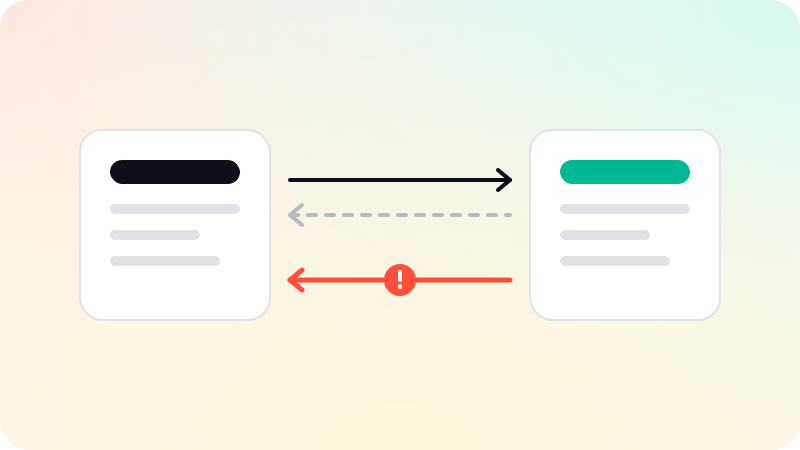
An API lets one system ask another for information or tell it to do something, whenever it chooses. A webhook works the other way round: the other system sends you a message the moment something happens. Use an API when you need to fetch or change data on demand, and a webhook when you need to react to events without constantly checking. Most real integrations use both.
Key points
- API: you ask, it answers. You decide when.
- Webhook: it tells you, when an event happens.
- Polling an API for changes is wasteful. A webhook removes the need.
- Webhooks must be verified, and must cope with being sent twice.
- MCP is a newer layer that describes tools to AI models, usually on top of APIs.
The difference in one table
| API | Webhook | |
|---|---|---|
| Who starts it | Your system | The other system |
| When | Whenever you call it | When an event happens there |
| Direction | Request, then response | One message, pushed to you |
| Good for | Reading and changing data on demand | Reacting to events as they happen |
| Everyday comparison | Phoning the shop to ask if your order is ready | The shop texting you when it is |
What an API is
An API, application programming interface, is a set of rules that lets one piece of software use another. In practice it is a list of addresses your system can call: one to fetch a customer, one to create an invoice, one to cancel an order. You send a request, and you get a response.
- You are in control of when it runs.
- It can both read data and change it.
- It needs a key or token, so the other system knows who is asking.
- Most services limit how many requests you can make in a period.
What a webhook is
A webhook is a message another system sends to an address you give it, when something you care about happens. A payment succeeds, a form is submitted, a ticket is closed, and your system hears about it within moments. GitHub’s documentation describes webhooks as a way to be notified of events without having to poll for them.
- You do not ask. You wait, and it arrives.
- It carries a small description of the event.
- Your system needs a public address ready to receive it.
- It is one-way. To change something in reply, you call the API.
How they work together
Taking a payment is the standard example. Your app calls the payment provider’s API to start a checkout. The customer pays on the provider’s page. The provider then sends your app a webhook saying the payment succeeded, and your app marks the order as paid. The API started the work, and the webhook reported the result.
The alternative, asking the API every few seconds whether anything has changed, is called polling. It works, but it is slow to notice events and wastes requests. Where a service offers webhooks for an event, use them.
What to get right with webhooks
- Verify the sender. Providers sign their webhooks, and your system should check the signature.
- Expect duplicates. The same event may be delivered more than once, so handling it twice must be harmless.
- Answer quickly, then do the work in the background.
- Expect them out of order, and occasionally late.
- Log every one, so you can see what arrived when something goes wrong.
Where MCP fits
APIs are written for developers, who read the documentation and write code. The Model Context Protocol is a newer standard that describes tools in a form AI models can understand and choose between. It does not replace APIs. An MCP server usually calls an existing API underneath. The details are in What is an MCP server?.
Connecting a product to the tools a business already uses is routine work in web app development. We check each tool’s API during scoping and say in writing what will connect.
Sources
Checked when this guide was written.