 BYD Tech
The short answer
For most companies a standard CRM is enough: contacts, companies, a sales pipeline, email sync and reports are solved problems, and configuring a good product beats building one. Teams build their own when the pipeline is unusual, the CRM has to work closely with their own product and other systems, they need full control of the data, or per-seat licensing stops making sense for how many people need access. Often the best answer sits in between: keep a standard CRM and extend it through its API, or build a focused custom app on top of it.
Key points
- Start by writing down your pipeline and the jobs your team does in the CRM. Most of them are standard.
- A custom CRM makes sense when the process is unusual, integrations are central, data control matters, or many occasional users need access.
- Extending a CRM through custom objects, its API and webhooks often gets most of the benefit without owning everything.
- APIs have rate limits that depend on the vendor and plan. Design integrations around them.
- Plan migration early: field mapping, duplicates, history and a test import come before the switch.
What a CRM does
A customer relationship management system, or CRM, is where a business keeps track of the people and companies it sells to and works with, and what is happening with each. Most CRMs cover the same core:
- Contacts and companies, with their details and how they relate to one another.
- Deals or opportunities moving through a pipeline of stages, from first contact to won or lost.
- Activities: emails, calls, meetings, notes and tasks, attached to the right person or deal.
- Email and calendar sync, so conversations are recorded without copying them in by hand.
- Automation, such as assigning new leads, sending follow-ups or creating tasks when a deal changes stage.
- Reports and dashboards on pipeline, activity and results.
Many CRMs add marketing, support or quoting on top. The core, though, is the same across products, which is why the first question is usually not which to build but whether to build at all.
When a standard CRM is enough
A standard CRM is usually the right choice when:
- Your sales process follows the familiar shape: leads, qualification, proposal, negotiation, closed.
- The people using it are mostly a sales or account team who will live in it every working day.
- Integrations are the common ones the product already supports, such as email, calendar, forms and accounting.
- Custom fields, pipelines and automation rules can describe what is different about your business.
- You would rather spend engineering time on your own product than on a sales tool.
Mature CRMs carry years of work on email sync, mobile apps, permissions, reporting and integrations. Rebuilding all of that to get a slightly different screen is rarely a good trade. Build vs buy software walks through the general reasoning.
When teams build their own
Some teams outgrow the standard shape. The usual reasons:
- An unusual pipeline. The thing being tracked is not a deal but, say, a property moving through inspections, a patient referral, a supplier being certified or a student’s application. Forcing that into contacts and deals makes every screen awkward.
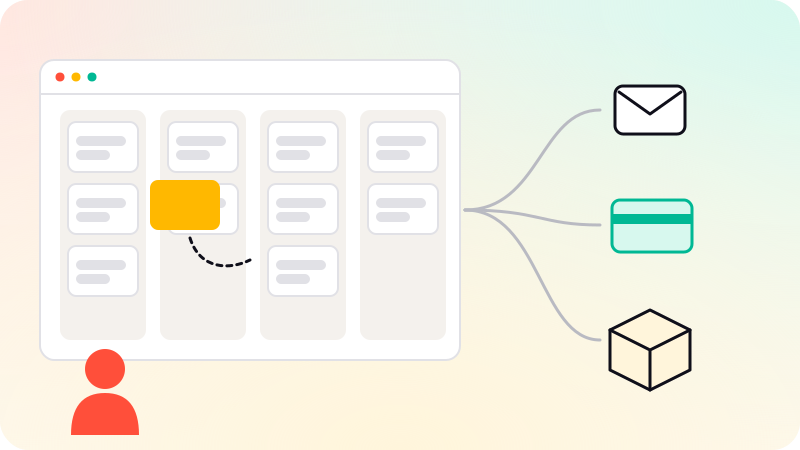
- Heavy integrations. The CRM has to read and write your own product’s data, a billing system, a warehouse system and more, in both directions and in near real time. When most of the value is in the connections, the CRM becomes the integration layer, and owning it can be simpler.
- Data ownership and control. You need customer data to stay in your own database, in a particular region, or under your own security controls, or you want to build on it without exporting it first.
- Per-seat licensing. Many CRMs license by user and by plan level. If many people need occasional access, such as field staff, partners or the whole company, the model may stop fitting how you work, even before advanced features push you to a higher plan.
- The CRM is the product. If you sell to a niche where the workflow is the value, the “CRM” you build may become part of what you offer customers.
Building your own means owning everything a vendor would otherwise maintain: email sync, permissions, audit history, reporting, imports and exports, backups and security updates. Count those before deciding, not after.
The middle path: extend a CRM instead of replacing it
Between buying as-is and building from scratch are two common options.
- Extend the CRM through its own features and API. Many CRMs let you define custom objects for things that are not contacts or deals, add custom fields and pipelines, and connect your systems through their API and webhooks. HubSpot’s Schemas API, for example, lets developers define custom objects with their own properties and associations to contacts and companies, with limits on how many depending on the subscription.
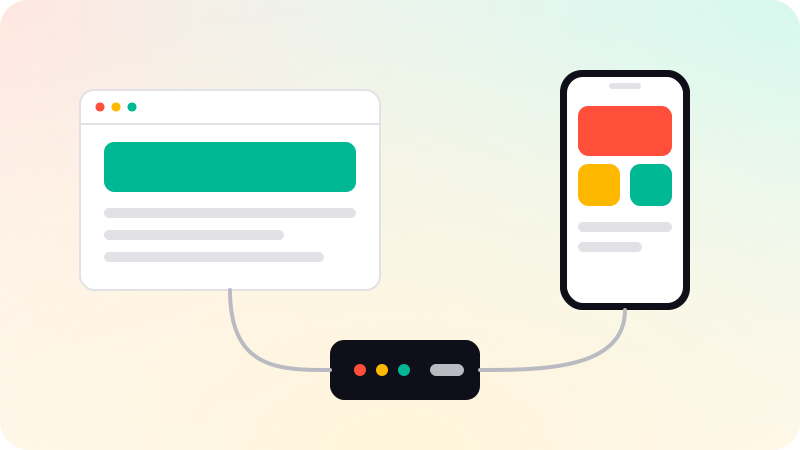
- Build a custom app on top of the CRM. Your team builds a focused tool, such as an operations screen, a partner portal or an onboarding workflow, that reads from and writes to the CRM through its API. Sales keeps using the CRM; everyone else uses the custom app.
Both depend on the CRM’s API, and APIs have limits. HubSpot’s developer documentation, for example, sets request limits that depend on the account’s subscription, returns an error when an app goes over them, and recommends caching, batch requests and webhooks to stay within them. Other vendors publish their own limits. Read them before you design an integration that syncs large amounts of data.
The middle path keeps the vendor’s mature features while giving you control over the part that is specific to you. Its cost is that your process now depends on another company’s API, plans and roadmap.
Integrations: what to decide up front
Whether you buy, extend or build, the CRM will need to exchange data with other systems. There are two basic ways to do it: ask for changes through an API on a schedule, or have the other system notify you through a webhook when something happens. API vs webhook explains the difference in plain terms.
- A source of truth for every field. Decide which system owns a customer’s billing address, plan or status. Two systems both allowed to change the same field will eventually disagree.
- The direction of each sync: one-way from the product to the CRM, one-way back, or both.
- How records are matched across systems: a shared ID is far more reliable than matching on email addresses or company names.
- What happens when a sync fails: retries, an error queue someone checks, and an alert when it stops working.
- Rate limits and volume, especially for the first full sync, which moves far more data than the small changes synced after it.
Data migration
Moving from spreadsheets, an old CRM or a custom system is often the riskiest part of the change. Bad data in a new system destroys trust in it faster than any missing feature.
- Export everything from the old system, including notes, activities, attachments and the history of deal stages if you need it.
- Decide what not to move. Very old leads, test records and abandoned fields can stay in an archive.
- Map every field from old to new, including picklist values, owners and dates. Write the mapping down.
- Clean before importing: merge duplicates, fix formats, and give every record a stable ID from the old system so you can trace it.
- Run a test import into a sandbox or a test account, and have the people who use the data check real records they know.
- Plan the switch: freeze changes in the old system, run the final import, then check counts and a sample of records.
- Keep the old export somewhere safe and read-only, in case you need to look something up.
With a hosted CRM, also check how you would leave it: what the export includes, in what format, and whether activities and attachments come with it. Knowing your exit before you start is part of owning your data.
Personal data and the vendor contract
A CRM is full of personal data: names, emails, phone numbers, notes about conversations. When a vendor hosts it, that vendor processes the data for you. Under the EU GDPR, that relationship must be covered by a contract that requires the processor to follow your instructions, keep the data confidential and secure, get your approval for sub-processors, help you respond to people’s requests about their data, and delete or return the data when the service ends, as the European Data Protection Board’s small business guide lists. Other countries have their own rules.
Mainstream vendors publish data processing terms you can accept or sign. If you build your own CRM, the same duties fall on you and on any hosting provider you use. This is general information, not legal advice; ask a lawyer where you operate to check what applies.
A decision table
| Your situation | Usually the better fit |
|---|---|
| Standard B2B or B2C sales pipeline, a sales team as the main users | Off-the-shelf CRM |
| Standard pipeline plus a few unusual records or steps | Off-the-shelf CRM with custom objects and fields |
| Sales uses the CRM, but operations or partners need their own workflow on the same data | Off-the-shelf CRM plus a custom app built on its API |
| The process is unusual from end to end, and contacts and deals do not describe it | Custom CRM |
| The CRM mostly exists to connect your product with other systems | Custom, or a custom integration layer beside a standard CRM |
| Data has to stay in your own database or region under your own controls | Custom, or a vendor that offers the controls you need |
| Many occasional users need access, and per-seat licensing does not fit | Custom app for those users, or a CRM licensed differently |
Whichever row fits, test the choice against the jobs you wrote down at the start: can each one be done well, by the people who do it, without workarounds?
If you are weighing a custom CRM or an app on top of yours, web app development describes how we approach the build: the code lives in your GitHub from day one, and the founders are on the calls.
Sources
Checked when this guide was written.