 BYD Tech
The short answer
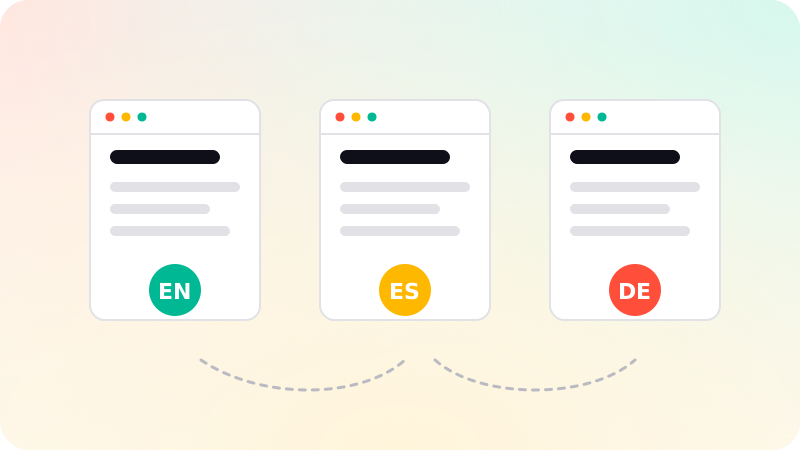
A multilingual website gives each language its own URL, such as example.com/es/ or es.example.com, links the versions with hreflang annotations so search engines show the right one, and lets visitors switch language themselves. Internationalization, or i18n, is preparing the code so text, dates, numbers and currencies can change per locale; localization is the translated and adapted content. Avoid automatically redirecting people by location, and translate properly rather than relying on raw machine output.
Key points
- One URL per language version.
- hreflang links the versions; each must point to all the others.
- Let users choose their language; do not force it by IP.
- Localize dates, numbers, currencies and examples, not only words.
- Plan i18n in the code early; retrofitting is slow.
i18n and l10n
The W3C distinguishes internationalization, designing a product so it can be adapted to different languages and regions, from localization, the adaptation itself. In code, i18n means no text hard-coded in components, layouts that cope with longer or right-to-left text, and dates, numbers and currencies formatted per locale.
URL structure
| Structure | Example | Notes |
|---|---|---|
| Subdirectory | example.com/de/ | Simple, one domain, common choice |
| Subdomain | de.example.com | More separation, more setup |
| Country domain | example.de | Strong country signal, separate domains to manage |
| URL parameter | example.com?lang=de | Not recommended by Google |
hreflang done right
- Declare versions with link tags in the page head, HTTP headers or the sitemap. One method is enough.
- Every version lists itself and all the others. Google ignores annotations that are not returned.
- Use valid language codes, optionally with a region, such as en, en-GB, es-MX.
- Add x-default for the fallback, such as a language chooser page.
- Set the lang attribute on each page’s html element.
Content and experience
- Translate the whole page, including navigation, buttons and metadata.
- Have a fluent person review machine translation before publishing.
- Adapt examples, units, phone formats and currencies, not only words.
- Show a language switcher on every page, keeping the visitor on the same page.
- Suggest a language based on browser settings if you like, but never force a redirect.
Translated pages are separate pages for search, so the rest of Technical SEO checklist applies to each. Headless content systems make managing languages easier. See What is a headless CMS?. Multilingual sites are part of website development.
Sources
Checked when this guide was written.