 BYD Tech
The short answer
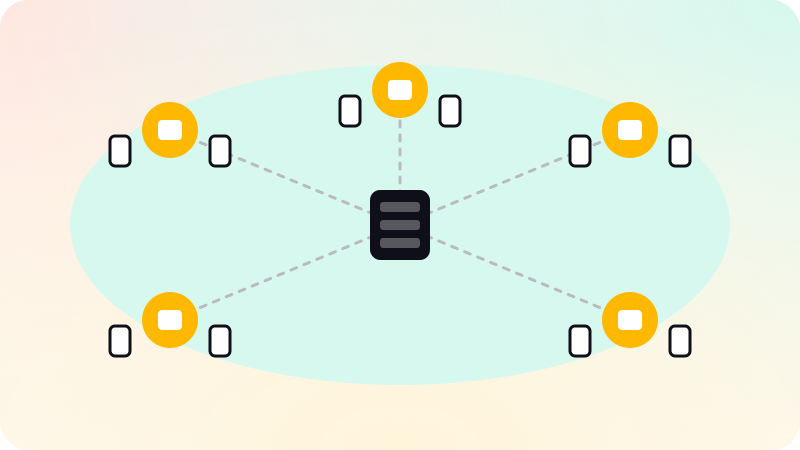
A CDN, or content delivery network, is a network of servers in many locations that keep copies of your site’s files and serve each visitor from a nearby one. That makes pages load faster, takes load off your own server, and absorbs traffic spikes and many attacks. Images, scripts, styles and static pages can be cached for a long time; dynamic responses can be cached briefly or passed straight through. Most modern hosting platforms include one.
Key points
- A CDN serves files from servers near each visitor.
- Faster pages, less load on your server, better resilience.
- Static files can be cached for months; HTML needs more care.
- Versioned file names let you cache aggressively and still update.
- Many hosts include a CDN, so you may already have one.
How a CDN works
- Your site lives on an origin: your server or hosting platform.
- A visitor requests a page; the request goes to the nearest CDN location, called an edge.
- If the edge has a fresh copy, it serves it immediately.
- If not, it fetches from the origin, serves it, and keeps a copy for the next visitor.
MDN describes a CDN as servers spread over many locations that store copies of data, so requests are answered by the servers closest to each user. Your Cache-Control headers tell the CDN what to keep and for how long.
What to cache
| Content | Typical caching |
|---|---|
| Images, fonts, versioned scripts and styles | Months or a year, marked immutable |
| Static HTML pages | Short, or revalidated on each request, so updates show quickly |
| API responses that change often | Seconds, or not at all |
| Personal pages and signed-in content | Never shared between users |
Versioned file names, such as app.3f9a1c.js, change whenever the content changes. That lets you cache files for a year and still ship updates instantly, because a new version is a new file. Modern frameworks do this automatically.
What else a CDN does
- Absorbs traffic spikes, such as a launch or a post that goes viral.
- Filters many denial-of-service attacks before they reach your server.
- Handles HTTPS certificates and modern protocols.
- Can redirect, add security headers, or run small functions at the edge.
Speed also feeds search and user experience. See Core Web Vitals and Technical SEO checklist.
Setting it up well
- Check whether your host already serves through a CDN before adding another.
- Set Cache-Control headers deliberately for each kind of content.
- Never cache responses that contain one user’s data for everyone.
- Know how to purge the cache when something must change immediately.
This site is itself served as static pages from a CDN. Fast, well-cached sites are part of our website development work.
Sources
Checked when this guide was written.