 BYD Tech
The short answer
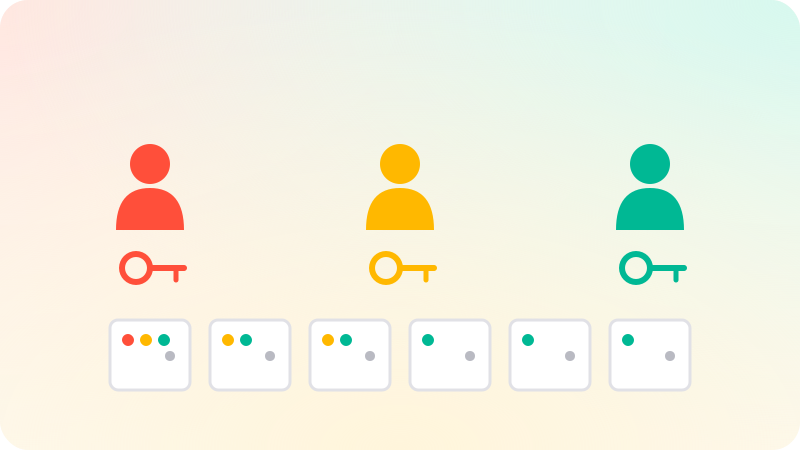
Role-based access control, or RBAC, decides what users can do based on their role rather than on each person individually. You define permissions, such as "edit invoices", group them into roles, such as admin, editor and viewer, and assign roles to users. It keeps access manageable as a team grows. Every check must happen on the server, access should be denied by default, and each role should have only the permissions it needs.
Key points
- Permissions are grouped into roles, and roles are given to users.
- Check permissions on the server for every request.
- Deny by default. Grant only what each role needs.
- Check permissions in code, not role names.
- In SaaS, roles apply within a tenant, not across all customers.
How RBAC works
RBAC was formalized by researchers at NIST in the 1990s and became an ANSI standard in 2004. The idea is simple: people change jobs often, but what a job needs changes rarely. So permissions attach to roles, and people get roles.
| Role | Example permissions |
|---|---|
| Owner | Everything, including billing and deleting the workspace |
| Admin | Manage users and settings, all content |
| Editor | Create and edit content |
| Viewer | Read only |
Designing roles
- List the actions in your app: view, create, edit, delete, invite, export, manage billing.
- Turn them into named permissions.
- Start with a few roles that match how customers actually work.
- In code, check for a permission ("can edit invoices"), not a role name ("is admin").
- Add custom roles only when customers ask for them.
Checking permissions instead of role names means adding or changing a role does not require hunting through the code.
RBAC and other models
| Model | Decides by | Example |
|---|---|---|
| RBAC | The user’s role | Editors can edit posts |
| ABAC | Attributes of the user, item and context | Managers can approve expenses under a limit in their department |
| ReBAC | Relationships between users and items | You can edit documents shared with you |
Most apps start with RBAC and add simple ownership rules, such as "users can edit their own items". The OWASP Authorization Cheat Sheet notes that attribute- and relationship-based models can express rules RBAC cannot.
Common mistakes
- Hiding a button in the interface but not checking on the server.
- Trusting a role sent from the browser.
- Checking the role but not whether the item belongs to the user’s organization.
- Giving everyone admin because it is easier.
- No record of who changed roles and when.
Broken access control tops the OWASP Top 10 list of web application risks. In a SaaS product, roles sit inside each tenant. See Multi-tenant architecture. Roles and permissions are part of the admin panels and portals we build in web app development.
Sources
Checked when this guide was written.