 BYD Tech
In short
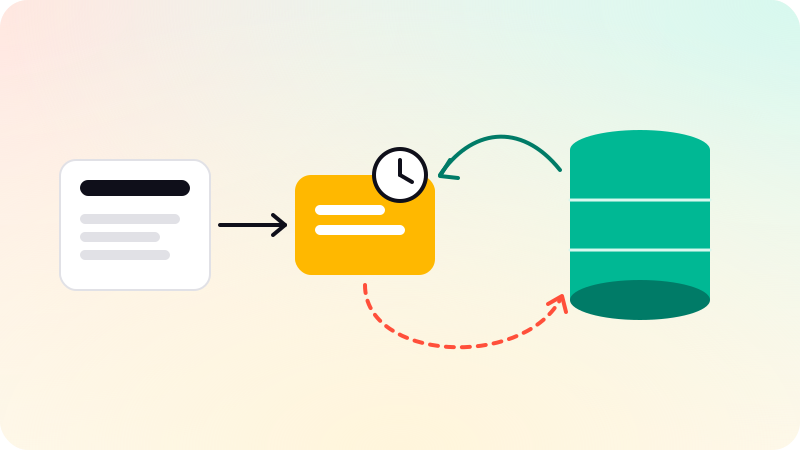
Most applications use cache-aside: read from the cache, load from the database on a miss, and delete the key when the data changes. Write-through and write-back move writes through the cache, trading write latency or durability for fresher reads. Whatever the pattern, give every key a TTL with some random jitter, protect hot keys against stampedes, and treat the cache as a copy that can be lost at any moment.
Key points
- Caches live in layers: browser, CDN, application memory, a shared cache such as Redis, and the database’s own buffers. The closer to the user, the cheaper the hit and the harder the invalidation.
- Cache-aside is the default pattern. On a write, delete the key after the database commit rather than updating it: deletes are idempotent.
- A TTL is the safety net under every other invalidation method. Add jitter so keys written together do not expire together.
- A stampede happens when a hot key expires and many requests rebuild it at once. Request coalescing, a short lock, serving stale data and probabilistic early expiration all prevent it.
- LRU suits most workloads; LFU resists one-off scans that would push hot keys out. Redis approximates both by sampling.
- On the web,
Cache-Control,ETagandstale-while-revalidatelet browsers and CDNs do the caching for you.
Where caches live
A cache is a copy of data kept somewhere faster or closer than its source. A typical web request can pass through five of them, and each has a different owner and a different way of being cleared.
| Layer | What it holds | Who controls it | How you clear it |
|---|---|---|---|
| Browser | HTTP responses for one user | Your Cache-Control and ETag headers | You cannot purge it: wait for expiry or change the URL |
| CDN or shared proxy | HTTP responses shared by many users | Headers such as s-maxage, plus the CDN’s own rules | A purge request, or versioned URLs |
| Application memory | Objects inside one server process | Your code | TTL or restart; every instance holds its own copy |
| Shared cache | Keys and values in Redis, Memcached or similar | Your code | TTL, delete, versioned keys |
| Database | Hot pages in memory, materialized views | The database | Automatic for buffers; an explicit refresh for views |
The closer a layer is to the user, the cheaper a hit and the harder it is to take a value back. A wrong response in a browser cache stays there until it expires. For the edge layer, see what a CDN is. This post is about data caching; prompt caching in LLM APIs is a different mechanism, covered in prompt caching and the KV cache.
Before adding a cache in front of a slow query, check whether the query itself can be fixed. A missing index is often the real problem, and an index never serves stale data (database indexing explained).
The five patterns compared
The patterns differ in two questions: who loads data into the cache on a read, and where a write goes first.
| Pattern | Read path | Write path | Strength | Risk |
|---|---|---|---|---|
| Cache-aside (lazy loading) | The app checks the cache; on a miss it reads the database and fills the cache | The app writes the database, then deletes the key | Only requested data is cached; losing the cache only slows things down | Slow first read; a window of stale data; a race between readers and writers |
| Read-through | The cache layer loads from the database on a miss, through a loader you register | Usually paired with write-through or delete on write | Call sites stay simple: they only talk to the cache | Needs a cache library or service that supports loaders |
| Write-through | Reads hit a cache that writes keep current | Every write goes to the cache and the database in the same request | Written keys are never stale | Slower writes; data that is written but never read fills the cache |
| Write-behind (write-back) | Reads hit the cache | Writes go to the cache and are acknowledged; the database is updated later, often in batches | Fast writes; bursts are absorbed and repeated updates coalesce | Acknowledged writes are lost if the cache fails before the flush; the database lags |
| Refresh-ahead | Hot keys are reloaded before they expire | Any of the above | Popular keys never miss | Refreshes keys nobody reads again; needs a way to pick hot keys |
AWS’s ElastiCache documentation describes the trade-off between the two most common ones: lazy loading caches only what is requested and survives a failed node, but every miss costs three trips and data can go stale; write-through keeps written data fresh but leaves a new node empty until data is written again, and fills memory with data that is never read. Its advice is to combine them with a TTL on every key.
Write-behind turns the cache into the first place your data lives, so it needs what a database needs: persistence, replication and a durable queue for pending writes. If losing an acknowledged write is unacceptable, do not use it, or put the writes on a queue whose consumers are safe to retry (idempotency and job queues).
Cache-aside in Python, with jitter and a lock
The sketch below uses a redis-py style client: get, set with nx (only if absent) and ex (expiry in seconds), and delete. The database call is a placeholder.
import json, random, time

BASE_TTL, MISSING_TTL, JITTER = 300, 30, 0.1

def jittered(ttl):
    return max(1, int(ttl * random.uniform(1 - JITTER, 1 + JITTER)))

def get_product(cache, db, product_id):
    key = f"product:v1:{product_id}"
    hit = cache.get(key)
    if hit is not None:
        return json.loads(hit)          # may be a cached "not found"
    lock = f"lock:{key}"
    if cache.set(lock, "1", nx=True, ex=10):   # one caller rebuilds
        try:
            row = db.fetch_product(product_id)
            ttl = BASE_TTL if row is not None else MISSING_TTL
            cache.set(key, json.dumps(row), ex=jittered(ttl))
            return row
        finally:
            cache.delete(lock)
    for _ in range(20):                 # the rest wait briefly
        time.sleep(0.05)
        hit = cache.get(key)
        if hit is not None:
            return json.loads(hit)
return db.fetch_product(product_id) # stop waiting, read the source- The
v1in the key is a schema version. When the shape of the cached object changes, bump it and the old entries simply age out instead of being read by new code. - The lock has its own expiry, so a process that crashes mid-rebuild cannot block the key forever. Pick it longer than a normal rebuild.
- A missing row is cached too, with a shorter TTL. Without this negative caching, every request for an id that does not exist goes to the database.
- One simplification to fix before relying on it:
delete(lock)can remove a lock another process took after this one expired. Store a random token as the lock value and delete only if it still matches, in one atomic script.
Choosing a TTL, and why to add jitter
A TTL answers one question: how old may this value be when someone reads it? Three things set the answer.
- Tolerance for staleness. A product description can be minutes old; a stock count at checkout cannot.
- Rate of change. Data that changes once a day gains little from a ten-second TTL and pays for many extra misses.
- Cost of a miss. An expensive aggregate earns a longer TTL plus explicit invalidation; a cheap primary-key lookup may not need caching at all.
Keep a TTL even when you invalidate explicitly. Invalidation code has bugs, events get lost and someone edits a row by hand; the TTL bounds how long any of those mistakes can last.
Jitter matters because keys are often written together: a deploy warms the cache, a batch job fills it, or a cold start loads the same hot set. With a fixed TTL they all expire in the same second and the database sees a synchronized wave of misses. Multiplying each TTL by a random factor, for example between 0.9 and 1.1, spreads the expiries out.
The AWS Builders’ Library article on caching describes a refinement: a soft TTL, after which the client tries to refresh, and a hard TTL, until which the old value may still be served if the source is failing. Serving slightly old data is often better than serving an error.
Invalidation: four ways to stop serving old data
| Method | How it works | Staleness | Watch out for |
|---|---|---|---|
| TTL only | Values expire on their own | Up to the TTL | Every reader sees old data for the whole TTL after a change |
| Delete on write | After the database commit, the writer deletes the key | Short, but a race remains (below) | Every code path that writes must remember to delete |
| Versioned keys | The version is part of the key, such as product:42:v7 or a generation number for a whole group; a change bumps the version | Changes are visible at once | Old keys linger until TTL or eviction; reading the current version is an extra lookup |
| Event-driven | Changes are published, from an outbox table or the database’s change log, and a consumer deletes the affected keys | The lag of the event pipeline | Lost or reordered events; consumers must be safe to run twice, which deletes are |
Delete, do not update, on a write. The memcache paper from Facebook (Nishtala et al., NSDI 2013) gives the reason: deletes are idempotent, so a retried or duplicated delete does no harm, while two concurrent updates that arrive out of order leave the wrong value behind. Delete after the commit, too: deleting before it lets a reader refill the key with the old row before the new one is visible.
Even then, cache-aside has a race. Reader A misses and reads version 1 from the database. Writer B commits version 2 and deletes the key. Reader A, which was slow, now writes version 1 into the cache, where it stays until the TTL expires. The same paper calls this a stale set and solves it with leases: on a miss the cache hands out a token, a delete invalidates the token, and a set with an invalid token is rejected. Without leases, the TTL bounds the damage, and storing a version number with each value lets a writer refuse to overwrite a newer one.
Versioned keys also invalidate groups. Keep a counter such as catalog:generation and put its value in every catalog key; incrementing it makes every old key unreachable in one write. The same idea on the web is a file name with a content hash in it: the URL changes when the file does, so the old one can be cached for a very long time.
Stampedes and the thundering herd
Vattani, Chierichetti and Lowenstein define a cache stampede as a popular item expiring and many requests missing and regenerating it at the same time. The extra load slows every regeneration, which lets more requests miss, so it feeds itself. Five defenses, often combined:
- Request coalescing: within one process, only one load per key is in flight and other callers wait for its result. The AWS Builders’ Library describes this as keeping one pending request for each uncached resource.
- A short distributed lock, as in the code above: one rebuild across all servers, with a timeout.
- Serve stale while refreshing: keep the old value past its soft TTL and refresh it in the background.
- Leases with a rate limit: the memcache paper hands out a lease token for a key at most once every 10 seconds and tells other clients to wait briefly. On a set of keys prone to herds, the authors report the peak database query rate fell from 17K/s without leases to 1.3K/s with them.
- Probabilistic early expiration: each reader may decide, at random, to refresh the value a little before it expires, with a probability that rises as expiry approaches.
The last one needs no coordination at all. Their paper, "Optimal Probabilistic Cache Stampede Prevention" (VLDB 2015), shows that drawing the early-expiration gap from an exponential distribution is optimal, and gives an algorithm they call XFetch. It stores the time the last rebuild took, delta, beside the value.
import math, random, time

def xfetch(cache, key, recompute, ttl, beta=1.0):
    entry = cache.read(key)            # (value, delta, expiry) or None
    if entry is not None:
        value, delta, expiry = entry
        r = 1.0 - random.random()       # uniform in (0, 1], never 0
        # log(r) <= 0, so this moves "now" later by a random amount
        if time.time() - delta * beta * math.log(r) < expiry:
            return value
    start = time.time()
    value = recompute()
    end = time.time()
    cache.write(key, (value, end - start, end + ttl), ttl)
    return value
A slow rebuild (large delta) starts refreshing earlier, because a stampede on it is more expensive. beta defaults to 1 in the paper; values above 1 refresh earlier still, at the price of more rebuilds. One request usually refreshes the key while the rest keep reading the old value.
Eviction: LRU, LFU and what Redis actually does
Expiry removes a key because it is old; eviction removes a key because memory is full. The policy decides which key goes. Least recently used (LRU) bets that a key not read for a while will not be read soon. Least frequently used (LFU) bets on how often a key is read, which protects hot keys from a one-off scan that touches many cold keys once.
| Redis policy | What it evicts |
|---|---|
noeviction | Nothing: commands that add data fail with an error once the limit is reached |
allkeys-lru | The least recently used keys; the documentation calls it a good default |
allkeys-lfu | The least frequently used keys |
allkeys-random | Random keys, for roughly uniform access |
volatile-lru, volatile-lfu, volatile-random | The same, but only among keys that have a TTL |
volatile-ttl | Keys with a TTL, shortest remaining TTL first |
Redis does not track exact recency. It samples a few keys, five by default through maxmemory-samples, and evicts the best candidate, keeping a pool of candidates between rounds; its documentation says that raising the sample size to 10 brings it very close to true LRU. LFU uses a probabilistic Morris counter of a few bits per key, decayed over time so that keys that were popular yesterday can still be evicted today. Redis 8.6 also adds allkeys-lrm and volatile-lrm, which track the last write instead of the last read.
Two traps. The volatile-* policies behave like noeviction when no key has a TTL, so a cache whose keys lack TTLs starts rejecting writes when it fills. And mixing cache keys with data you cannot afford to lose in one instance makes every eviction policy wrong for one of them; the documentation suggests separate instances. Watch keyspace_hits, keyspace_misses and evicted_keys in INFO stats to see whether the policy fits.
HTTP caching headers
For anything served over HTTP, the browser and the CDN are caches you do not have to run. RFC 9111 defines how they behave, and the Cache-Control response header is how you instruct them.
| Directive | Meaning (RFC 9111 unless noted) |
|---|---|
max-age=N | Fresh for N seconds |
s-maxage=N | Overrides max-age for shared caches such as CDNs only |
no-cache | May be stored, but must be revalidated with the server before every reuse |
no-store | Must not be stored at all; use it for sensitive responses |
private | Only the user’s own browser may store it, never a shared cache |
public | Shared caches may store it even where they otherwise would not |
must-revalidate | Once stale, must not be reused without a successful revalidation |
stale-while-revalidate=N | RFC 5861: after expiry, may be served stale for N seconds while a background revalidation runs |
stale-if-error=N | RFC 5861: may be served stale for N seconds when the origin returns 500, 502, 503 or 504 |
GET /api/products/42

HTTP/1.1 200 OK
Cache-Control: public, max-age=60, s-maxage=300, stale-while-revalidate=30, stale-if-error=600
ETag: "p42-v7"

-- later, after max-age has passed --
GET /api/products/42
If-None-Match: "p42-v7"

HTTP/1.1 304 Not Modified
ETag: "p42-v7"

-- a per-user page --
Cache-Control: private, no-cache

-- a static file with a content hash in its name --
Cache-Control: public, max-age=31536000
The ETag is a validator. When a stored response is stale, the cache sends it back in If-None-Match; if it still matches, the server answers 304 Not Modified with no body and the cache reuses what it has. That saves bandwidth, not the round trip. no-cache is often mistaken for “do not store”: it means “check first”, and no-store is the one that forbids storage.
Set Cache-Control explicitly on every response. Without an explicit expiry, RFC 9111 lets caches assign a heuristic freshness lifetime to some responses, and suggests a typical value of 10% of the time since Last-Modified. A response that varies by a request header, such as language, needs a Vary header so a cache does not serve one user’s variant to another.
Consistency trade-offs, and a checklist
Every cache trades freshness for speed. The question is not whether readers will see old data but how old, for which data, and who notices. One case users notice at once is reading their own write: someone saves a change and the next page shows the old value. Delete the key in the same request as the write, or read that user’s own data from the database for a moment after they change it.
- Fix the query first. Cache what is still expensive after indexing.
- Write down, per kind of data, how stale it may be. That number is the TTL.
- Use cache-aside with delete-after-commit unless you have a reason not to. Give every key a TTL with jitter.
- Put a version in every key, so a change of shape or a bulk invalidation is one increment.
- Protect the few hot, expensive keys against stampedes: coalescing, a lock, stale serving or early expiration.
- Cache “not found” with a short TTL, and do not cache errors for long.
- Never let a shared cache key depend on data it does not include, such as the user or the language.
- Measure the hit ratio, evictions and the database load with and without the cache. Plan for the cache being empty, because after a restart it will be.
Caching is one of several tools for keeping a web app fast under load, alongside background jobs and queues and rate limiting. BYD Tech builds web apps: the code lives in the client’s GitHub from day one, and AI-assisted work is reviewed by an engineer.
Sources
Checked when this post was written.
- IETF RFC 9111: HTTP Caching (2022)
- IETF RFC 5861: HTTP Cache-Control Extensions for Stale Content (2010)
- Vattani, Chierichetti and Lowenstein: Optimal Probabilistic Cache Stampede Prevention (VLDB 2015)
- Nishtala et al.: Scaling Memcache at Facebook (NSDI 2013)
- Redis docs: Key eviction
- Amazon ElastiCache docs: Caching strategies
- AWS Builders’ Library: Caching challenges and strategies