 BYD Tech
In short
A rate limiter decides, on every request, whether a key (an IP address, a user, an API key or a tenant) is still within its allowance. Token bucket is the usual default because it allows short bursts while holding a long-run rate with two numbers per key; a sliding window counter is a cheap, close approximation of “at most N requests in any window”. Across many servers the state lives in a shared store and each decision is one atomic operation, and a client over its limit gets HTTP 429 with a Retry-After header.
Key points
- A fixed window is simple but lets through up to twice the limit across a window boundary.
- A token bucket has a refill rate, which sets the long-run limit, and a capacity, which sets the largest burst. It stores a token count and a timestamp per key.
- A sliding window counter weights the previous window’s count by how much of it still overlaps the rolling window, using two counters per key.
- Across servers, read-check-write must be one atomic step in the shared store, such as a single server-side script, or concurrent requests slip past the limit.
- Answer with 429 and Retry-After. The IETF RateLimit and RateLimit-Policy header fields are still an Internet-Draft as of November 2026.
- Clients should back off exponentially with jitter, honor Retry-After, and retry only requests that are safe to repeat.
What a rate limiter decides
A rate limiter answers one question per request: has this key used up its allowance? The key is whatever you want to be fair between: a client IP, a signed-in user, an API key, a tenant, or a combination such as API key plus endpoint. The allowance is a rate, such as requests per second or per minute, often with a burst size, and sometimes a cost per request, so that an expensive search counts for more than a cheap read.
Rate limits protect three things: the service from overload, tenants from a noisy neighbor, and the product from abuse such as credential stuffing and scraping. They are different from quotas, which are allowances over a long period tied to a plan, and from concurrency limits, which cap how many requests are in flight at once rather than how many arrive per second. Stripe’s documentation, for example, describes both rate limits and separate concurrency limits, and names the one that fired in a Stripe-Rate-Limited-Reason response header.
This post covers the five common algorithms, where to enforce them, how to keep one limit across many servers, and what the server and the client should do when a limit is hit.
Five algorithms and how they differ
- Fixed window: one counter per key per window, such as per calendar minute. Increment, compare, and start again when the minute changes. The flaw is the boundary: a client can send the full limit in the last second of one minute and again in the first second of the next, so up to twice the limit passes in about two seconds.
- Sliding log: store the timestamp of every accepted request and count the ones inside the last window. It is exact, but memory grows with the limit: a limit of 1,000 per hour keeps up to 1,000 timestamps per key.
- Sliding window counter: keep fixed-window counters for the current and the previous window, and estimate the rolling count as
previous * overlap + current, whereoverlapis the share of the previous window still inside the rolling window. Two counters per key, and the boundary burst mostly disappears. - Token bucket: a bucket holds up to
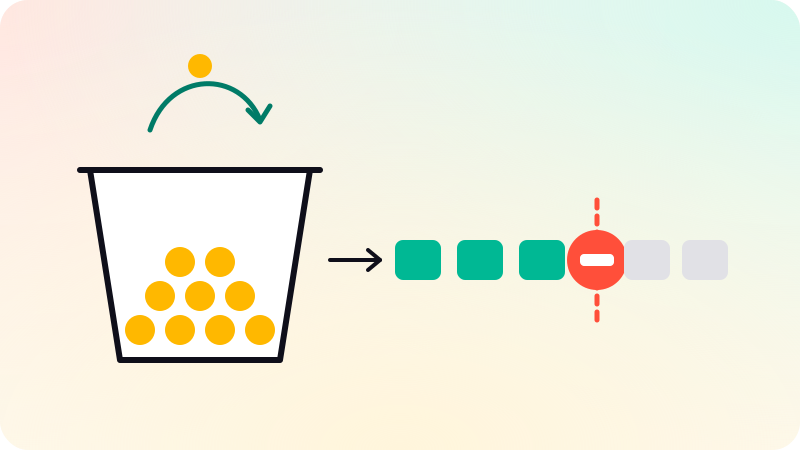
capacitytokens and refills atratetokens per second. Each request takes a token, or several for an expensive call, and an empty bucket means reject. A full bucket allows a burst ofcapacity, and the long-run rate can never exceedrate. - Leaky bucket: requests join a queue that drains at a fixed rate, and new requests are rejected when the queue is full. The output is smooth, at the price of added delay. NGINX’s
limit_reqmodule says it uses this method:burstsets how many excess requests may wait, andnodelayserves them at once instead of spacing them out.
| Algorithm | Bursts | State per key | Accuracy |
|---|---|---|---|
| Fixed window | Up to twice the limit across a window boundary | One counter and the window start | Exact inside a window, loose across boundaries |
| Sliding log | Never more than the limit in any window | One timestamp per accepted request, so it grows with the limit | Exact |
| Sliding window counter | Smoothed, with a small error | Two counters | Approximate: assumes the previous window’s requests were evenly spread |
| Token bucket | Allows a burst up to the capacity, then the refill rate | A token count and the last refill time | Exact for its own contract: a rate plus a burst |
| Leaky bucket (queue) | Absorbed by the queue and released at a fixed rate | A queue, or one timestamp | Exact, but it delays requests instead of only rejecting them |
Cloudflare has described running the sliding window counter at scale. Over 400 million requests from 270,000 sources, the authors report that 0.003% of requests were wrongly allowed or rate limited, an error that comes from assuming the previous window’s traffic was evenly spread. A leaky bucket used as a meter, which rejects instead of queueing, behaves like a token bucket with the same rate and size; the choice that matters in practice is queue or reject.
A token bucket in Python
A token bucket needs no background timer. Store the token count and the time of the last update. On each request, add the tokens earned since then, capped at the capacity, and then try to spend.
import time

class TokenBucket:  # refills lazily: no timer, just arithmetic per call
    def __init__(self, rate: float, capacity: float):
        self.rate = rate                 # tokens added per second
        self.capacity = capacity         # the largest burst allowed
        self.tokens = capacity           # start full
        self.updated = time.monotonic()  # unaffected by wall-clock changes

    def allow(self, cost: float = 1.0) -> bool:
        now = time.monotonic()
        earned = (now - self.updated) * self.rate
        self.tokens = min(self.capacity, self.tokens + earned)
        self.updated = now
        if self.tokens >= cost:
            self.tokens -= cost
            return True
        return False

    def retry_after(self, cost: float = 1.0) -> float:
        """Seconds until `cost` tokens exist. Call it right after allow()."""
        return max(0.0, (cost - self.tokens) / self.rate)

bucket = TokenBucket(rate=5, capacity=10) # 5 per second, bursts of 10capacityis the burst you are willing to absorb andrateis the sustained limit. AWS API Gateway describes its throttling in these terms: the rate is how fast tokens are added to the bucket and the burst is the bucket’s capacity.- Use a monotonic clock in process. A wall clock can jump backward or forward when it is corrected, which would take tokens away or hand out a free burst.
- A cost above 1 weights expensive endpoints, or meters something other than requests, such as the tokens sent to a language model.
- One instance per key, held in a dictionary, works inside a single process. Guard it with a lock if several threads share it, and evict idle keys, or memory grows with every client you have ever seen.
retry_aftergives an honest value for the Retry-After header: the time until enough tokens exist.
A sliding window counter in TypeScript
When the contract is “at most N requests in any 60 seconds” rather than “a rate plus a burst”, a sliding window counter is the cheap way to approximate it. Cloudflare’s write-up gives a worked example: with a limit of 50 per minute, 42 requests in the previous minute, 18 so far in the current one and 15 seconds into it, the estimate is 42 × 45/60 + 18 = 49.5, so the next request is still allowed.
type Counters = { start: number; current: number; previous: number };

const WINDOW_MS = 60_000;
const LIMIT = 100;
const counters = new Map<string, Counters>();

export function allow(key: string, now = Date.now()): boolean {
  const start = Math.floor(now / WINDOW_MS) * WINDOW_MS;
  let c = counters.get(key) ?? { start, current: 0, previous: 0 };

  if (c.start !== start) {
    // A new window: the old current becomes previous, unless a window was skipped.
    const previous = start - c.start === WINDOW_MS ? c.current : 0;
    c = { start, current: 0, previous };
  }

  const overlap = (WINDOW_MS - (now - start)) / WINDOW_MS; // share of the previous window still in range
  const estimate = c.previous * overlap + c.current;
  const allowed = estimate < LIMIT;
  if (allowed) c.current += 1;

  counters.set(key, c);
  return allowed;
}
Two choices are hidden in this code. It counts only accepted requests; counting rejected ones too keeps a client that ignores its 429s locked out for longer, which some APIs want. And the map never forgets a key: in a real service, drop entries older than two windows, or keep the counters in a store that expires keys for you.
Where to enforce limits, and on which key
Enforce coarse limits early and precise limits where the context is. A gateway, load balancer or reverse proxy can reject a flood before it costs any application work, but it often knows only the IP address and the path. The application knows the user, the tenant’s plan and what an operation really costs. Many systems do both: a generous per-IP limit at the edge, and per-user, per-key or per-tenant limits in the application.
| Key | Good for | Watch out for |
|---|---|---|
| Client IP | Anonymous traffic, login and signup forms, floods | Many users behind one address (offices, mobile carriers), one client with many addresses, and IPv6, where one client may control a whole prefix, so limit by prefix |
| User or session | Signed-in actions | Accounts are cheap to create, so pair it with an IP limit on signup |
| API key | Public APIs and plan tiers | Keys leak: limit each key and alert on sudden changes in its traffic |
| Tenant | Multi-tenant SaaS, so one customer cannot starve the rest | Large tenants need limits of their own, not the global default |
| Key plus endpoint | Expensive operations: search, exports, AI calls | More state to keep, and every limit needs documenting |
Behind a proxy or load balancer, the connection’s address is the proxy’s. Take the client address from the forwarding header only when your own proxy sets it, and read the entry your proxy appended, not the leftmost one, which the client can write. Tenant isolation is covered in multi-tenant architecture, and abuse controls in the web app security checklist.
One limit across many servers
Put an in-memory limiter on each of ten servers behind a load balancer, and a limit of 100 per minute becomes roughly 1,000, unevenly, depending on where requests land. There are three ways out.
- Route each key to one place. If every request for a key reaches the same node, by consistent hashing or by network routing, that node’s local counter is the whole truth. Cloudflare keeps counters per data center for this reason: its routing sends a given client to the same location under normal conditions.
- Share the state. Keep the counters or buckets in a shared store and update them with atomic operations. This is the most common design, and the rest of this section is about it.
- Split the limit. Give each of N nodes a local limit of the global limit divided by N. It needs no network call, but it is wrong whenever traffic is uneven or the number of nodes changes.
With a shared store, the classic bug is read-check-write in separate round trips: two servers both read 99, both see room under a limit of 100, and both write 100, so 101 requests pass. The fix is to make the decision one atomic step in the store. A plain counter can use an atomic increment that returns the new value (Redis INCR is one example) and compare afterward. Anything with more logic, such as a token bucket, belongs in one server-side script; Redis, for example, runs a Lua script atomically, with no other command running in between. Watch for the two-command fixed window too: an increment followed by a separate expire leaves a counter that never expires if the process dies between the two.
-- Lua, run atomically by the store (Redis EVAL as one example)
-- KEYS[1]: the bucket, e.g. rl:key:abc123
-- ARGV[1]: rate in tokens per second, ARGV[2]: capacity, ARGV[3]: cost
local rate, capacity, cost = tonumber(ARGV[1]), tonumber(ARGV[2]), tonumber(ARGV[3])
local t = redis.call("TIME")                  -- the store's clock, not the caller's
local now = tonumber(t[1]) * 1000 + math.floor(tonumber(t[2]) / 1000)

local state = redis.call("HMGET", KEYS[1], "tokens", "ts")
local tokens = tonumber(state[1]) or capacity  -- a missing key is a full bucket
local ts = tonumber(state[2]) or now

tokens = math.min(capacity, tokens + (now - ts) / 1000 * rate)
local allowed = 0
if tokens >= cost then
  tokens = tokens - cost
  allowed = 1
end

redis.call("HSET", KEYS[1], "tokens", tokens, "ts", now)
redis.call("PEXPIRE", KEYS[1], math.ceil(capacity / rate * 1000))
return { allowed, tostring(tokens) } -- a number reply would be cut to an integer- Clocks: application servers disagree about the time, so a limiter that trusts each caller’s clock gives extra tokens to whichever server runs ahead. The script reads the store’s own clock with
TIME. Redis documents that scripts can call it freely now that scripts are replicated by their effects, the default since version 5.0. - Expiry: a missing key behaves like a full bucket, so the key can expire once the bucket would have refilled, after
capacity / rateseconds, without changing any answer. Idle clients then cost no memory. - Latency: every request now waits for a round trip to the store. Cloudflare reports making its increments asynchronous and keeping a local flag for clients already over the limit, so the hot path checks memory, at the cost of letting a few extra requests through.
- Store outages: decide in advance whether to fail open (allow, protecting availability) or fail closed (reject, protecting the backend). A common compromise is to fall back to a local limiter on each node with a conservative limit.
A hybrid design makes that compromise permanent. Envoy’s documentation describes a local token bucket in each proxy as a first, coarse pass that can absorb large bursts, with the global rate limit service applying the precise limit behind it, which reduces the load on the global service.
What to send back: 429, Retry-After and RateLimit headers
RFC 6585 defines 429 Too Many Requests for a user who has sent too many requests in a given amount of time. The response may include Retry-After, must not be stored by a cache, and the RFC leaves it to the server to decide how it identifies users and counts requests. Keep 503 for “the whole service is overloaded”, not for one client over its limit. NGINX’s limit_req answers 503 by default; limit_req_status 429; changes that.
RFC 9110 defines Retry-After as either an HTTP date or a number of seconds, as in Retry-After: 120. The number of seconds is easier for clients to get right, because it does not depend on their clock agreeing with yours.
Telling clients how close they are to a limit before they hit it is the job of the IETF draft “RateLimit header fields for HTTP”. As of November 2026 it is at version 11, published in May 2026, an Internet-Draft of the HTTPAPI working group and not an RFC, so names and parameters can still change. It defines two fields:
RateLimit-Policydescribes quota policies, each with a name and parameters:qfor the quota,wfor the window in seconds, and optionallyqufor the quota unit andpkfor a partition key. Example:RateLimit-Policy: "permin";q=50;w=60.RateLimitreports what is left under a policy:rfor the remaining quota andtfor the effective window in seconds, roughly how long until the quota refills. Example:RateLimit: "permin";r=12;t=40.- The draft also defines a “quota exceeded” problem type for the error body, with a list of the policies that were violated.
Many APIs still send the older, unstandardized X-RateLimit-Limit, X-RateLimit-Remaining and X-RateLimit-Reset headers, and they disagree on whether the reset is a timestamp or a number of seconds. If you publish an API, document which headers you send. Either way, say which limit was hit, as Stripe does with its reason header: a client that knows it hit a per-endpoint limit can slow down just that endpoint.
On the client: backoff with jitter
A client that retries a 429 at once makes the overload worse, and many clients that back off on the same schedule come back in synchronized waves. The remedy Marc Brooker describes on the AWS Architecture Blog is exponential backoff with jitter: grow the maximum delay exponentially, cap it, and sleep a random time below it, which he calls “full jitter”. Stripe’s rate limit documentation gives the same advice for 429 responses, to avoid a thundering herd.
import random
import time

RETRYABLE = {429, 500, 502, 503, 504}

def send_with_backoff(send, max_attempts=6, base=0.5, cap=30.0):
    """send() returns (status, retry_after_seconds); the second may be None."""
    for attempt in range(max_attempts):
        status, retry_after = send()
        if status not in RETRYABLE:
            return status
        if attempt == max_attempts - 1:
            break
        if retry_after is not None:
            # The server said when; a little jitter spreads clients out.
            delay = retry_after + random.uniform(0, base)
        else:
            # Full jitter: anywhere between zero and the capped exponential.
            delay = random.uniform(0, min(cap, base * 2 ** attempt))
        time.sleep(delay)
raise RuntimeError("still failing after retries")- Honor
Retry-Afterwhen the server sends it: it knows when capacity comes back. - Retry only what is safe to repeat. A GET can be retried freely; a POST that may already have run needs an idempotency key, which is the subject of idempotency and job queues.
- Cap the attempts and the total time, and surface the failure. Unbounded retries turn a short incident into a long one.
- For bulk work, limit yourself first. A client-side token bucket set below the server’s limit, which Stripe suggests for high-volume integrations, avoids most 429s, and work that can wait belongs in a queue that drains at a steady rate (see background jobs and queues).
A short design checklist
- Write the contract first: the key, the rate, the burst or window, and which endpoints cost more than one.
- Pick the algorithm from the contract: token bucket for “a rate plus a burst”, sliding window counter for “at most N in any window”, a leaky bucket queue when the backend needs smooth input.
- Enforce a coarse per-IP limit at the edge and precise per-user, per-key or per-tenant limits in the application.
- Across servers, make each decision one atomic operation in a shared store, read the time from one clock, and choose fail open or fail closed before an outage chooses for you.
- Return 429 with Retry-After, document your headers, and log each rejection with its key and policy, so you can tell an attack from a limit set too low.
- Test the edges: bursts at a window boundary, many servers at once, the store going away, and clients that ignore 429.
A rate limit often sits in front of the same expensive work as a cache; caching strategies covers that side, and database indexing explained covers making the protected queries cheaper in the first place.
BYD Tech builds web apps and APIs, limits and retries included: the code lives in the client’s GitHub from day one, and AI-assisted work is reviewed by an engineer.
Sources
Checked when this post was written.
- RFC 6585: Additional HTTP Status Codes (429 Too Many Requests)
- RFC 9110: HTTP Semantics, section 10.2.3 Retry-After
- IETF draft-ietf-httpapi-ratelimit-headers: RateLimit header fields for HTTP
- NGINX docs: ngx_http_limit_req_module
- AWS docs: Throttle requests to your REST APIs in API Gateway
- Stripe docs: Rate limits
- Cloudflare blog: How we built rate limiting capable of scaling to millions of domains
- Envoy docs: Global rate limiting
- Redis docs: Scripting with Lua
- Marc Brooker, AWS Architecture Blog: Exponential Backoff And Jitter