 BYD Tech
The short answer
An app for ChatGPT is built on an MCP server: a program you host that gives the assistant a small set of tools, such as "look up an order", and can return an interactive view inside the chat. OpenAI’s developer docs now call the installable package a plugin, which ChatGPT and Codex share in one directory; Claude takes the same kind of server as a connector, and the open MCP Apps standard lets one interface run in several assistants. You can use it privately by adding the server by URL, or submit it for review to be listed publicly.
Key points
- The core of any app for an AI assistant is an MCP server you host, with a few clear tools and sign-in where it touches a user’s data.
- Interactive UI is optional. OpenAI’s docs say every tool should still work without it; add a view only when people need to compare, edit or confirm.
- One server can reach ChatGPT, Claude and other assistants that support MCP, because the protocol and its UI extension are open standards.
- A public listing needs review: a verified developer, a privacy policy, a test account and test cases. Private use only needs the server URL.
- Being listed does not mean being found. In ChatGPT a published plugin is found by name or by direct link unless OpenAI chooses to feature it.
- Platform rules decide what you may sell and collect, and they change. Keep your own product and data the source of truth.
What an app for ChatGPT is today
OpenAI introduced apps in ChatGPT built with its Apps SDK. Its developer documentation now calls the installable package a plugin, and the old Apps SDK address leads to the plugin docs. A plugin is what people discover, install and share, and ChatGPT and Codex share one directory of them.
In OpenAI’s docs, a plugin can contain one or more of three things:
- Skills: written instructions and resources that teach the model a repeatable workflow, with no server of your own.
- An MCP server: a program you host that exposes tools, connects to your systems and signs users in. This is what most business apps need.
- Optional UI: an interactive view, such as a product comparison, a map or an editable schedule, returned by the MCP server for selected tools.
The Model Context Protocol, MCP, is the open standard underneath. If it is new to you, What is an MCP server? explains it from the start.
How it works: tools, results and UI
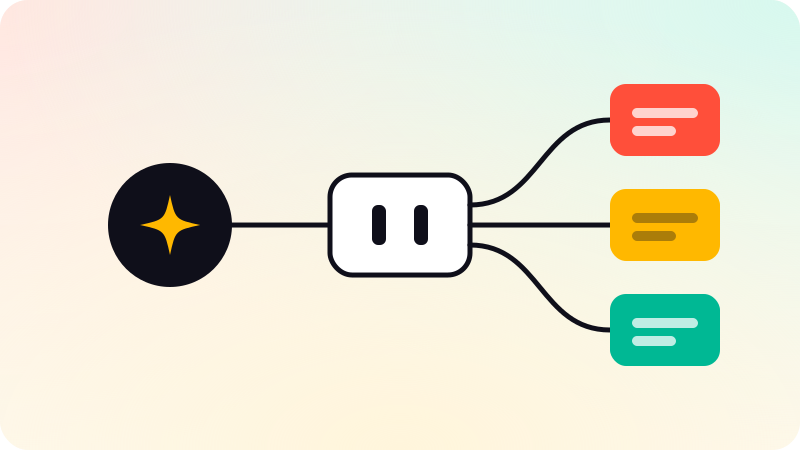
- The assistant connects to your MCP server and reads its list of tools: each has a name, a description and an input schema.
- When a user’s request matches a tool, the model picks it and fills in the arguments.
- Your server checks who is asking, validates the input, does the work and returns a result.
- The model uses the result to answer, and if the tool has a UI resource, the assistant shows your view in the conversation.
Be deliberate about what each part of a result is for. OpenAI’s docs split a tool result into three parts:
| Part of the result | Who sees it | Use it for |
|---|---|---|
| Structured content | The model, and your UI | The concise data the model needs to answer and to call the next tool |
| Content | The model | Text that helps the model explain the result to the user |
| Metadata | Your UI only, hidden from the model | Display-only details; never a place for secrets or a substitute for access control |
The UI runs inside a sandboxed iframe in the chat, so it cannot reach the assistant’s page or cookies. ChatGPT supports the open MCP Apps standard, and OpenAI recommends starting with that and adding ChatGPT-only extensions only when the standard does not cover what the view needs.
Claude and other assistants
Claude uses the same kind of remote MCP server, which its users see as a connector. Anthropic says one connector works across claude.ai, the desktop and mobile apps, Cowork and Claude Code, and Claude renders MCP Apps too, so the same interactive view can show up in both assistants.
| ChatGPT | Claude | |
|---|---|---|
| What users call it | A plugin, found in the plugin directory | A connector, found in the Connectors Directory |
| Private use | Connect it as a custom MCP server, for yourself or your workspace, without a public listing | A user or organization Owner adds a custom connector by URL, with no review by Anthropic |
| Public listing | Submitted by a verified individual or business through the OpenAI Platform, then reviewed | Submitted by anyone on a paid Claude plan through the developer portal, then reviewed |
| Interactive UI | MCP Apps, plus optional ChatGPT extensions | MCP Apps |
| How people find it | Search by name or a direct link; featuring is OpenAI’s choice | Browse and search in the directory; listed connectors can be suggested in chat |
Other hosts support MCP Apps as well. The protocol’s own site lists VS Code with GitHub Copilot, Microsoft 365 Copilot and Goose among them, and notes that support varies by client. Each assistant still has its own listing, review and rules, so plan one server and several submissions.
When an assistant app makes sense, and when a web app is better
The MCP Apps documentation puts the case plainly: the app lives inside the conversation, it can call your tools and get fresh results, and it can use what the assistant already knows. If your use case gains nothing from that, it says a regular web app may be simpler.
- It fits when your customers already work in an assistant and want your product there: checking an order, searching a catalog, booking, pulling a report.
- It fits when the task starts as a question in words and ends in an action your system already supports.
- It fits for internal teams who want their assistant to read company data through tools you control.
- A web app is better when the work is long, visual and repeated every day, when you need your own onboarding and billing, or when you must own the whole experience.
- A web app is also better when the product depends on sensitive data the platform rules do not allow, such as card data or health records.
Most businesses need both: the product and its API as the system of record, with a thin assistant app in front. Adding AI inside your own product is a different job, covered in How to integrate AI into your app.
What to plan before you build
- Use cases. Write down the few things a user will ask for in their own words, and what a good answer looks like.
- Tools. Turn each use case into one focused tool with a plain verb name, such as get_order_status, a description that says when to use it, and a strict input schema. Mark each tool as read-only or not, and as destructive or not.
- Sign-in. Anything that reads a user’s data or acts for them needs sign-in through OAuth, following the MCP authorization spec. Check permissions on your server for every request; OpenAI’s docs say never to rely on the model to decide who has access.
- What the model sees. Return only the data the current request needs. Keep secrets, tokens and needless personal data out of every result.
- Privacy. Publish a privacy policy that covers what you collect, why, who receives it, how long you keep it and what users can control. OpenAI requires one for a listed plugin.
- Write actions. Ask the user to confirm anything that sends, deletes or spends. Label each tool honestly as read-only or destructive: OpenAI says the labels help ChatGPT choose when to ask for confirmation, and do not replace the checks in your own server.
- Testing and review material. A test account with sample data, realistic prompts that should and should not trigger each tool, and a short video of the app working.
An assistant app is a door into your systems that a model operates on a user’s behalf. Read Prompt injection before you ship write tools, and set limits in code as AI agent guardrails describes.
Submission, review and the rules you agree to
For ChatGPT, you upload the plugin package to the OpenAI Platform under a verified individual or business identity, prove you own the server’s domain, fix the automated findings, then send it for review with reviewer credentials, five positive and three negative test cases, a video walkthrough and release notes. After approval, you choose when to publish. OpenAI says review times vary and cannot be expedited.
OpenAI’s plugin guidelines set limits worth knowing before you design anything:
- Commerce is allowed only for physical goods, through checkout on your own site. Selling subscriptions, digital content or credits from the plugin is not allowed. Instant Checkout inside ChatGPT is in beta for select marketplace partners only.
- No ads, and no plugin that exists mainly to advertise.
- No collecting card data covered by PCI DSS, protected health information, government identifiers or passwords and API keys.
- Content must suit general audiences, including users aged 13 to 17.
- No unofficial connectors to someone else’s service, and no tool descriptions that steer the model away from other plugins.
Anthropic’s directory has its own terms, and a connector is listed there only after review. Read both sets of rules before you design the app, not after it is built.
The risks: rules change and listings are not traffic
- Platform rules move. The name and the docs for ChatGPT apps have already changed once, and OpenAI says it may reject or remove any plugin at any time, without notice.
- Discovery is limited. A published ChatGPT plugin appears on the directory’s main pages only if OpenAI selects it, and developers cannot ask to be featured. Plan to send people to it yourself.
- Updates are checked too. Changes to your server go live after automated checks, but new tools stay unavailable until they are approved.
- The model sits between you and the user. It chooses when to call your tools and how to word the answer, so test with real prompts and keep the facts in your results.
Being recommended by assistants is a separate effort from having an app in them; Generative engine optimization covers that side.
When BYD Tech builds an MCP server or an assistant app, the code lives in the client’s GitHub from day one, the founders are on the calls, and AI-assisted work is reviewed by an engineer before it ships. AI agent development covers how we decide whether a job needs an assistant app, an agent or a plain integration.
Sources
Checked when this guide was written.
- OpenAI Developers: Plugin architecture
- OpenAI Developers: Build an MCP server
- OpenAI Developers: Plugin guidelines
- OpenAI Developers: Upload and submit your plugin
- OpenAI Developers: Remote MCP server review requirements
- Claude Docs: Build an MCP server for Claude
- Claude Docs: Directory connectors vs custom connectors
- Model Context Protocol: MCP Apps