 BYD Tech
The short answer
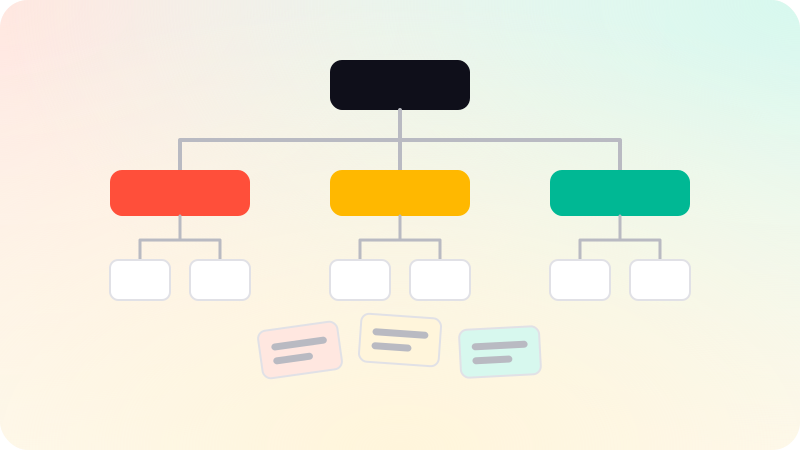
Information architecture, or IA, is the way a website or app organizes and labels its content and features so people can find what they need. It is the structure underneath: which sections exist, what goes in each, and what they are called. Navigation menus are built on top of it. Good IA starts from how users think about the content, which you can learn with card sorting, and is checked with tree testing before any visual design.
Key points
- IA is the structure; navigation is how users move through it.
- Organize by how users think, not by your org chart.
- Use plain labels people would use themselves.
- Card sorting shows how users group things.
- Tree testing checks whether they can find things in your structure.
Planning the structure
- List everything the product must hold: pages, features, content types.
- Learn what users come to do, from interviews, search logs and support questions.
- Run a card sort: users group the items into piles and name the piles.
- Draft the hierarchy and labels from the patterns you see.
- Run a tree test: users try to find things in a text-only version of the structure.
- Fix where people go wrong, then design the navigation on top.
Card sorting and tree testing
| Method | What it answers | When |
|---|---|---|
| Open card sort | How do users group and name these things? | Before you have a structure |
| Closed card sort | Do users put things in the categories we chose? | When testing existing categories |
| Tree test | Can users find specific items in this structure? | After drafting, before visual design |
Common mistakes
- Structure that mirrors internal teams instead of user tasks.
- Clever or branded labels that nobody would search for.
- Categories that overlap, so users cannot tell where something lives.
- Too many top-level items, or important things buried deep.
- Adding new features wherever there is room, until the structure stops making sense.
Good IA also helps search engines: a clear hierarchy, sensible URLs and internal links show what each page is about. See Technical SEO checklist. Structure is the groundwork for the screens in UI/UX design, and the next step is Wireframe vs mockup vs prototype.
Sources
Checked when this guide was written.