 BYD Tech
The short answer
Crash reporting tools such as Firebase Crashlytics and Sentry record every crash in your app with the stack trace, device, app version and the steps leading up to it, so you can fix problems users never report. Google Play also watches crash rates: its bad behavior threshold for user-perceived crash rate is 1.09 percent overall, and above it Play may reduce your app’s visibility. Set up reporting before launch, upload symbol files so traces are readable, and fix the crashes affecting the most users first.
Key points
- Users rarely report crashes; they leave.
- Install crash reporting before the first beta.
- Upload source maps and symbol files so traces make sense.
- Google Play’s overall crash threshold is 1.09 percent.
- Fix by number of users affected, not by number of crashes.
What a crash report contains
| Detail | Why it matters |
|---|---|
| Stack trace | Where in the code it failed |
| App version and build | Whether a release introduced it |
| Device and OS version | Whether it is limited to certain phones |
| Breadcrumbs | The screens and actions just before the crash |
| Users affected | How serious it is |
For React Native apps, include both native crashes and JavaScript errors, and upload source maps and native symbol files with every build. Without them, traces show minified code that nobody can read.
What Google Play watches
| Android vitals metric | Overall threshold | Per phone model |
|---|---|---|
| User-perceived crash rate | 1.09 percent | 8 percent |
| User-perceived ANR rate (app not responding) | 0.47 percent | 8 percent |
Google says core vitals affect an app’s visibility on Google Play, and above these thresholds Play may reduce visibility or show a warning on the store listing. It checks a 28-day average daily. Apple shows crash data in Xcode Organizer and App Store Connect.
Triage and fixing
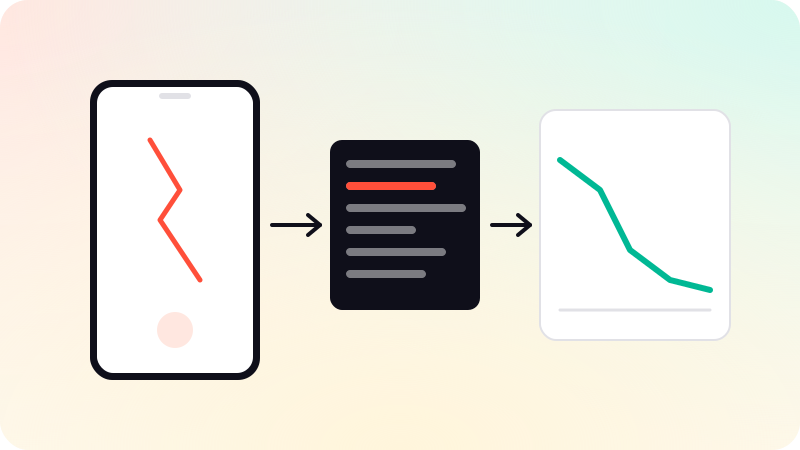
- Group crashes by cause; the tools do this automatically.
- Sort by users affected, and fix the top groups first.
- Check whether a group started with a particular release.
- Reproduce with the breadcrumbs and device details, then fix and add a test.
- Release, and confirm the group stops in the new version.
Set alerts for new crash groups and for a spike after a release, and roll out releases gradually so a bad build reaches fewer people.
Privacy
Crash reports can include personal data. Avoid logging sensitive fields, disclose crash data collection in your privacy details on both stores, and choose data storage regions that suit your users. For JavaScript-only fixes, see Over-the-air updates; for performance issues, see React Native performance. Crash reporting is set up as part of mobile app development.
Sources
Checked when this guide was written.