 BYD Tech
The short answer
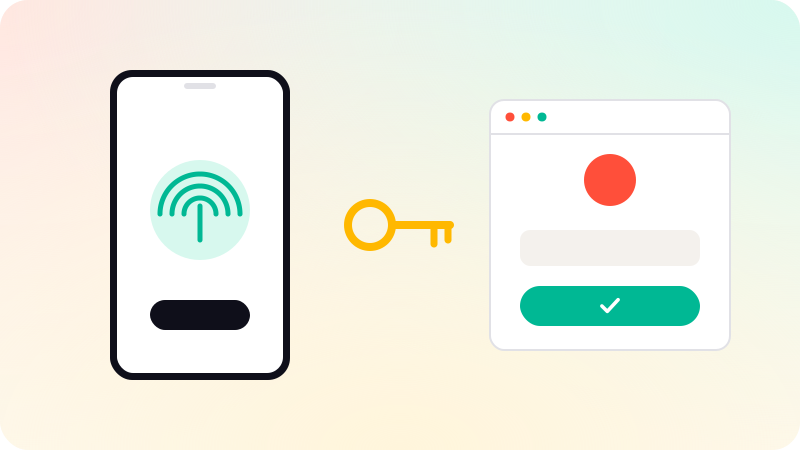
A passkey is a replacement for a password. Instead of a secret the user types, the device holds a private key, unlocked with a fingerprint, face scan or PIN, and the server keeps only the matching public key. Signing in proves possession of the key without sending it anywhere. Passkeys are built on the FIDO and WebAuthn standards, work on all major platforms, and resist phishing because a passkey only works on the site it was created for.
Key points
- Passkeys use a key pair; the server never stores a secret.
- Users unlock them the way they unlock their phone.
- They are tied to your domain, so fake sites cannot use them.
- Synced passkeys move across a user’s devices; device-bound ones stay on one.
- Offer them alongside existing sign-in, with a recovery path.
How passkeys work
- At sign-up, the user’s device creates a key pair for your site.
- The private key stays in the device or the user’s password manager; your server stores the public key.
- At sign-in, your server sends a random challenge.
- The user unlocks the passkey with fingerprint, face or PIN, and the device signs the challenge.
- Your server checks the signature with the public key.
The FIDO Alliance describes this as challenge-response authentication based on public-key cryptography. There is no password to steal from your database and nothing for the user to type into a fake site.
Passkeys vs passwords
| Passwords | Passkeys | |
|---|---|---|
| What the server stores | A password hash | A public key, useless to an attacker |
| Phishing | Users can type them into fake sites | Only work on the real domain |
| Reuse across sites | Common | Impossible: one key pair per site |
| User effort | Remember or manage them | Unlock like a phone |
| Recovery | Email reset | Synced devices, or a fallback method |
Adding passkeys to your app
- Use a maintained WebAuthn library or your authentication provider’s passkey support, rather than writing the cryptography yourself.
- Offer to create a passkey after a normal sign-in, when the user is already trusted.
- Keep another sign-in method and a tested recovery path for users who lose their devices.
- For mobile apps, link the app to your domain so the same passkeys work in the app and on the web.
- Let users see and remove their passkeys in account settings.
If you keep passwords too, follow current NIST guidance: allow long passwords, check new ones against lists of breached passwords, and do not force regular changes or character rules. More on access in What is RBAC? and Web app security checklist. Sign-in and account security are part of web app development.
Sources
Checked when this guide was written.