 BYD Tech
The short answer
Before you switch to live payments, move to live keys that only your server can read, verify every webhook and handle it safely when it arrives twice or out of order, and grant access only after your server has confirmed the payment with the provider. Then check the rules that depend on where you sell: card authentication in Europe and India, the app stores’ rules for digital goods, tax settings, and how you will handle refunds and disputes.
Key points
- Secret keys live on the server only. Rotate any key that was ever exposed, even if you are not sure anyone saw it.
- The redirect after checkout is not proof of payment. Confirm on the server, usually from a verified webhook.
- Webhooks can arrive twice, late or out of order, so the code that grants access must be safe to run more than once.
- A hosted checkout or embedded fields keep card numbers off your servers and shrink your PCI work.
- Card authentication and app store rules differ by region and keep changing. Check the current rules for every market you sell in.
Test mode, live mode and your keys
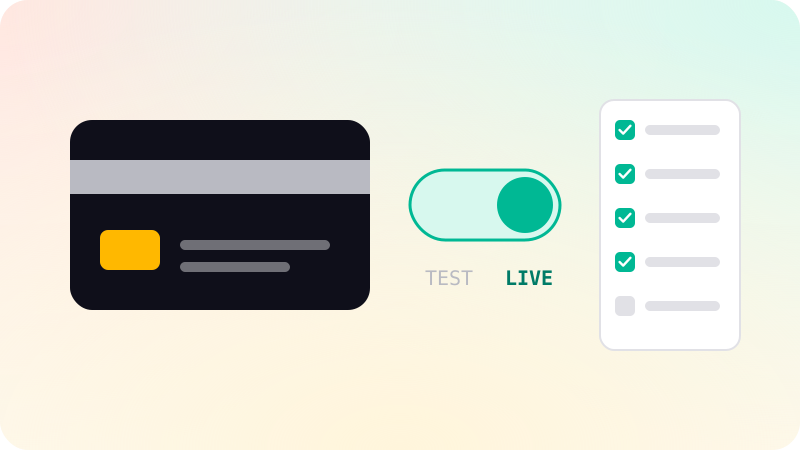
Whether you use Stripe, Razorpay, PayPal or another provider, you build against a test mode and launch in live mode. The switch can look like a matter of swapping keys. It is not quite that. Settings made in test do not always carry over: Stripe, for example, gives the same webhook endpoint a different signing secret in test and in live. List everything you configured in test, such as products, prices, webhook endpoints and tax settings, and check that each one exists in live.
Most providers issue two kinds of key. A publishable key is safe to put in a web page or a mobile app. A secret key is a credential, like a password: with it, someone can create charges, read customer data and break your integration. Stripe’s guidance is direct about where each one belongs:
- Keep secret keys on your server, in a secrets store or, failing that, in environment variables. Never in source code, even private code.
- Never put a secret key in a mobile app or in browser code. Apps can be unpacked and searched, so the app gets the publishable key only.
- Use restricted keys with only the permissions each part of the system needs, where your provider offers them.
- If a secret key was ever pasted into a chat, a log, an email or a repository, treat it as exposed and rotate it now. Exposure counts, even without proof of misuse.
The broader version of this, for every secret your app holds, is in the web app security checklist and, for apps, mobile app security best practices.
Webhooks: verify them, and expect repeats
A webhook is the provider calling your server to say something happened: a payment succeeded, a subscription renewed, a customer opened a dispute. It is how your app learns about events that happen when the customer is not on the page. API vs webhook explains the pattern itself. For payments, four rules matter.
- Verify the signature on every request, using the raw request body and the signing secret for that endpoint and mode. Without it, anyone who finds the URL can send a fake “paid” event. Stripe notes that any change to the raw body makes verification fail, so check the signature before your framework parses it.
- Expect the same event more than once. Record the event IDs you have processed and skip any you have already handled.
- Do not depend on order. Stripe states that it does not guarantee events arrive in the order they were created, so a renewal can arrive before the event that created the subscription.
- Reply quickly with a success status, then do the slow work afterwards. Stripe retries deliveries that fail or time out, so a slow handler turns into duplicate deliveries. A queue helps here; see background jobs and queues.
Grant access only after the server confirms
The most common mistake in a first integration is unlocking the product when the customer lands on the “thank you” page. That page is the browser telling your app it was paid, and the browser can be wrong, slow or faked. Stripe’s fulfillment guide adds a plainer reason: a customer can complete checkout and lose their connection before your success page loads, so some customers who paid will never see it.
- Write one function on the server that grants what was bought: access, credits, a shipment, a receipt.
- Call it from the verified webhook. You can also call it when the customer reaches the success page, so they get access at once when the webhook is slow.
- Inside the function, ask the provider for the current status of that checkout or payment. Do not rely on anything the browser or app sent.
- Make the function safe to run more than once, and at the same time, for the same payment. Stripe warns that it may be called multiple times, possibly concurrently. Record what was granted and check that record first.
- Handle the slower methods. Bank transfers and some local methods confirm later, and subscriptions change state after checkout, so listen for the success and failure events that come afterwards.
Card data and authentication rules
Any business that stores, processes or transmits card data must comply with the PCI Data Security Standard. How much work that is depends on how you collect the card. Stripe notes that handling raw card numbers yourself can mean meeting more than 300 security controls, while its hosted checkout and embedded fields send card details straight to Stripe without passing through your servers. For most new products, a hosted checkout or the provider’s embedded fields are the right choice. You still confirm your compliance each year, but the scope is far smaller.
Many regions also require the customer to confirm a card payment with a second step, such as an approval in a banking app or a one-time code. The rules differ by region:
| Where | Rule | What your checkout needs |
|---|---|---|
| European Economic Area and United Kingdom | Strong Customer Authentication, which began under the EU’s PSD2 rules on September 14, 2019 | Support 3-D Secure; banks can decline card payments that skip it |
| India | RBI Authentication Mechanisms for Digital Payment Transactions Directions, 2025, with a minimum of two-factor authentication and a compliance date of April 1, 2026 | A provider flow that handles the authentication step for Indian cards |
| Other countries | Rules differ and change | Ask your provider which authentication flows your checkout must support |
A hosted checkout usually handles the extra step for you. If you build your own flow, test both a successful and a failed authentication with the provider’s test cards before launch. For subscriptions, save the card with the customer present, so later renewals can run without them.
Selling inside a mobile app
If you sell through an iOS or Android app, the stores have their own rules, and they decide which provider you may use. In short, digital goods and physical goods are treated differently:
| What you sell | Apple App Store | Google Play |
|---|---|---|
| Digital content or features used in the app, such as subscriptions, premium content or in-game currency | Guideline 3.1.1: use in-app purchase | Use Google Play’s billing system, unless an exception or a regional program applies |
| Physical goods, or services used outside the app, such as rides, deliveries or event tickets | Guideline 3.1.3(e): use another method, such as Apple Pay or card entry | Google Play billing must not be used |
| Links or buttons that send buyers of digital goods to your website | Allowed on the United States storefront; elsewhere only with an entitlement in specific regions | Only in eligible countries or regions, after enrolling in the relevant program |
These rules have changed several times recently and differ by storefront and country, so read the current guidelines for every market you launch in, not a summary. Getting them wrong is a common reason for rejection; see app store rejection reasons. Payments made through the stores also report to your server differently, so your server-side checks need a path for store receipts as well as for your web provider.
Refunds, disputes, tax and alerts
- Refunds. Decide who can issue one, from where, and what happens to the customer’s access when it goes through. Listen for the refund event so your records stay in step with the provider.
- Disputes. A customer can ask their bank to reverse a charge. Decide who answers disputes and what evidence you keep: receipts, sign-in records, delivery confirmations. With Stripe, a card payment that passed 3-D Secure and is later disputed as fraud typically shifts the liability to the card issuer.
- Tax and receipts. Sales tax, VAT and GST depend on where you and your customers are. Set your business details, tax settings and receipt emails in the provider’s live account, and check them with an accountant who knows the countries you sell in.
- Logs. Log every call to the provider and every webhook you receive, without storing card numbers or other sensitive data in those logs.
- Alerts. Alert someone when webhook deliveries start failing, when your handler errors, and when the number of successful payments drops sharply. A broken webhook endpoint fails quietly: customers are charged and never get access.
The go-live checklist
- Create live keys, store the secret key on the server only, and rotate any key that was ever exposed during development.
- Check that products, prices and plans exist in live mode, and that your code uses the live IDs.
- Register the live webhook endpoint, store its signing secret, and confirm it verifies signatures, skips duplicates and does not depend on event order.
- Confirm that access is granted only by the server-side function, and that it is safe to run twice.
- Test declined cards, failed authentication, a refund and a cancellation in test mode, then run one real low-value purchase in live mode and refund it.
- Check the authentication rules and app store rules for every country you sell in.
- Set tax, business details and receipts in the live account.
- Turn on alerts for failed webhooks and handler errors, and name who answers them.
When we build payments as part of web app development, the provider account and keys are set up in the client’s name and the code lives in the client’s GitHub, and a named engineer reviews every change before it ships.
Sources
Checked when this guide was written.
- Stripe: Best practices for managing secret API keys
- Stripe: Receive Stripe events in your webhook endpoint
- Stripe: Fulfill orders (Checkout)
- Stripe: Integration security guide (PCI compliance)
- Stripe: Strong Customer Authentication readiness
- Reserve Bank of India: Directions on authentication mechanisms for digital payment transactions (press release, September 25, 2025)
- Apple: App Review Guidelines, section 3.1 Payments
- Google Play Console Help: Understanding Google Play’s Payments policy